
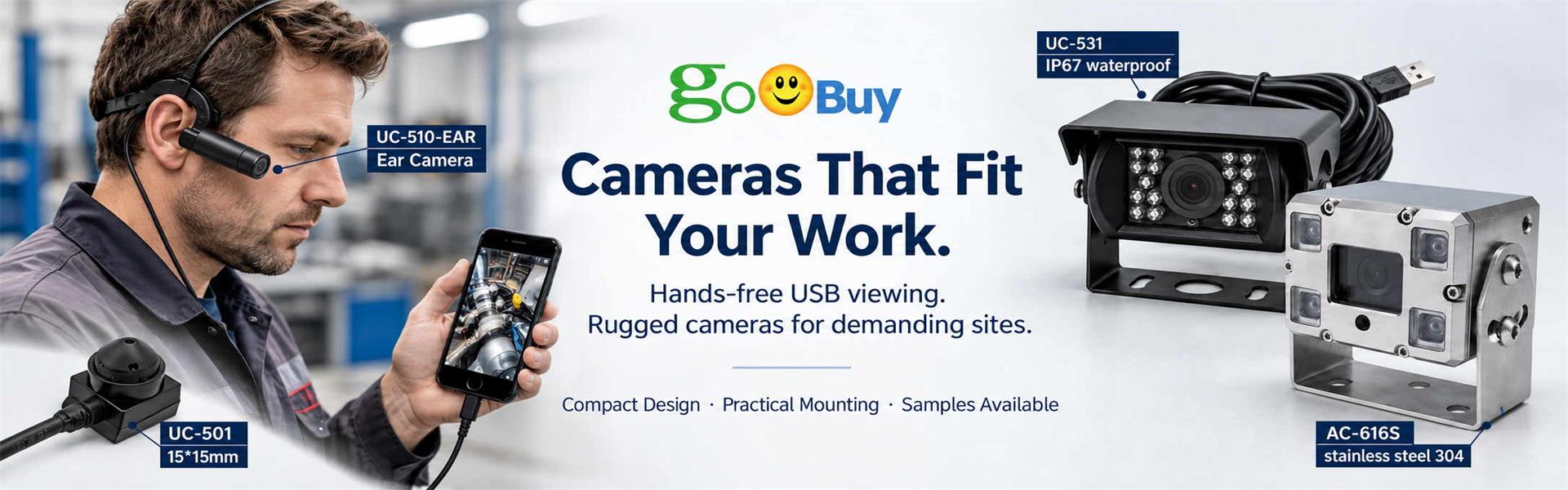
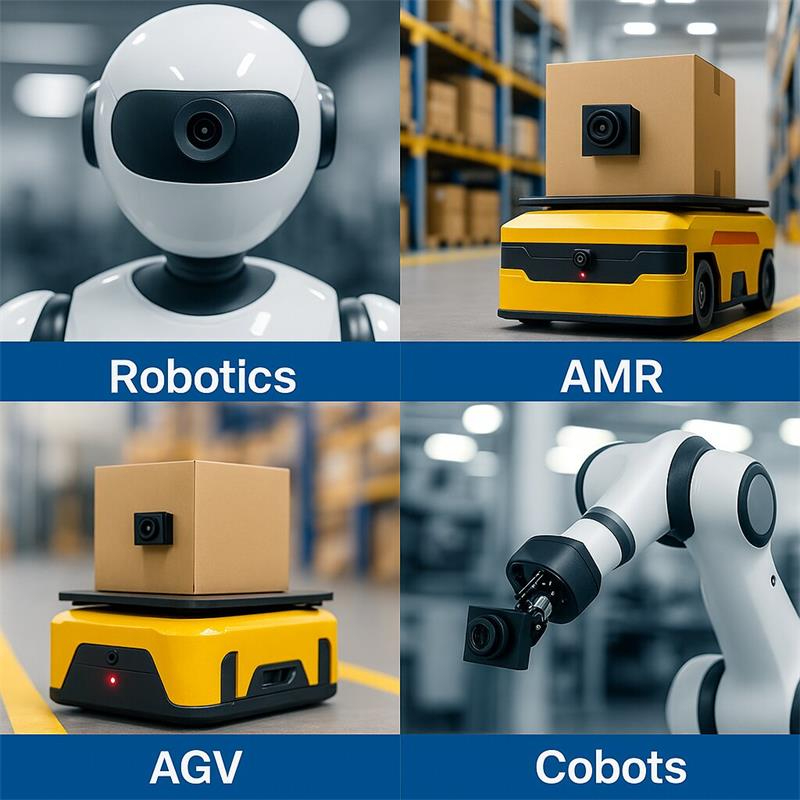
Mini USB cameras are widely used in robotics because they are small, easy to connect, and compatible with common embedded host platforms. For AMR, AGV, cobot, service robot, robot gripper and teleoperation systems, a compact USB camera module can provide visual input without the complexity of raw MIPI driver development or a full industrial camera setup.
A mini USB camera is not the right answer for every robot vision problem. Some robots need depth cameras, global shutter cameras, stereo cameras, LiDAR, event cameras or specialized machine vision systems. However, when a robot product needs compact size, UVC plug-and-play video, flexible lens options and fast integration with Linux, Windows, Android, Jetson, Raspberry Pi or ROS-based systems, a miniature USB camera module is often a practical starting point.
This guide explains where mini USB cameras fit in robotics, how to choose the right camera type, and when 2MP, autofocus, fisheye, wide-angle or high-resolution USB camera modules should be considered.
A mini USB camera for robotics is a compact camera module that outputs video through USB, usually with UVC compatibility. It can be connected to a robot controller, embedded computer, AI box, industrial PC, single-board computer or development platform.
Typical robot host platforms include:
The main advantage of a UVC USB camera is that it can usually be recognized by standard operating systems as a video device, reducing driver development time.
For robotics teams, this means faster testing, easier software integration and lower risk during early sample validation.
Robots often have limited space, limited power budget and limited mechanical freedom. A standard webcam or large industrial camera may not fit into the robot body, gripper, wrist, head, docking module or small sensor compartment.
Mini USB cameras are useful because they can provide:
In many robot products, the main challenge is not finding a camera with the highest specification. The real challenge is finding a camera that physically fits the robot and works reliably with the host system.
Autonomous Mobile Robots often need cameras for scene awareness, docking, shelf recognition, human presence detection, route support or visual confirmation.
A mini USB camera can be useful for:
For AMR navigation, lens selection is very important. A wide-angle lens can cover more of the environment, while a lower-distortion lens may be better for marker recognition or software-based localization.
A fisheye USB camera may be useful when the AMR needs a wider field of view, but the software must handle lens distortion correctly.
AGV systems often need reliable docking and positioning feedback. In many applications, the camera does not need to understand the whole environment. It only needs to recognize a docking marker, QR code, fiducial tag, line, alignment feature or loading station.
Mini USB cameras can support:
For AGV docking, the important camera factors are:
A high-resolution camera is not always necessary. A stable 2MP or 5MP UVC camera with the right lens may be better than an oversized camera with the wrong field of view.
Robot grippers, cobot end effectors and small manipulation tools often need close-range camera input.
A mini USB camera can be installed near:
Typical tasks include:
For robot gripper vision, the camera must be small enough not to block the tool movement. Cable flexibility and connector stability are also important because the camera may move with the robot arm.
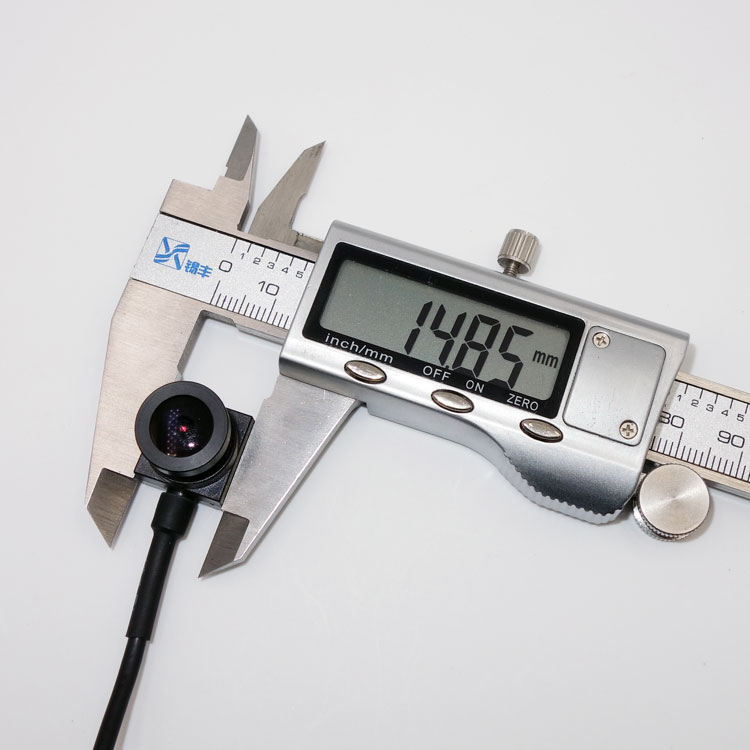
In this application, a 15×15mm micro USB camera is often more practical than a boxed USB camera or large board camera.
Collaborative robots and small robot workcells often need a camera for setup, part confirmation, operator guidance or visual evidence.
Mini USB cameras can be used for:
For cobots, the camera may be mounted on the robot arm, above the workstation or inside a fixture.
If the target distance changes, autofocus may be useful. If the target distance is fixed, a fixed-focus lens can be more stable and lower cost.
Many robots need a camera for a remote human operator.
The camera may be used for:
For teleoperation, image stability, latency, lens angle and mounting position matter more than maximum resolution.
A wide-angle camera can help the operator understand the scene. A narrow-angle camera can show more detail for a specific task. Some robots may need both.
Mini USB cameras are often useful for teleoperation because they are simple to connect to the onboard computer and can be streamed by the robot software stack.
Service robots may use mini USB cameras for user interaction, face presence detection, QR code reading, navigation support or remote assistance.
Typical applications include:
A camera in a service robot may need to capture:
For service robots, compact size and stable USB video are usually more important than very high-end machine vision features.
Mini USB cameras are also useful for education, robotics labs, research prototypes and university robot projects.
Typical uses include:
For educational and research robots, UVC plug-and-play compatibility is valuable because students and developers can use common tools such as OpenCV, GStreamer, ROS, Python and Linux video pipelines.
A mini USB camera can help teams spend less time on camera driver issues and more time on robot behavior.
Resolution should match the robot task.
Best for:
2MP is often enough when the target is close, the field of view is controlled, and the host system needs lower bandwidth.
Best for:
5MP can be a useful middle ground when 2MP is not enough but 12MP is unnecessary.
Best for:
4K increases bandwidth and processing load, so it should be selected only when the robot host can handle it.
Best for:
12MP is useful when the robot must capture small details at variable working distances. It is not necessary for every AMR or cobot.
Lens selection is one of the most important parts of robot camera design.
Common lens choices include:
A wide-angle lens is useful when the robot needs to see more of the environment. A lower-distortion lens is useful when the software needs accurate shape, marker or code recognition.
The wrong lens can make a good camera perform poorly.
Fixed focus is suitable when the working distance is stable.
Examples:
Autofocus is useful when the working distance changes.
Examples:
Autofocus can improve usability, but it also needs testing. Product teams should check focus speed, focus hunting, low-texture targets and software control behavior.
Most mini USB cameras are selected because the host already supports USB video.
Before choosing a camera, confirm:
For ROS and Linux systems, UVC camera modules are often easy to test because they can appear as standard video devices.
For Android systems, camera support depends on the device firmware and application layer, so sample testing is important.
Robot cameras must fit the real robot structure.
Before selecting a camera, check:
A 15×15mm or 14×14mm camera module can be useful when a standard 32mm or 38mm board camera is too large.
For robot grippers and end-effectors, mechanical fit is often the first selection factor.
| Robot Application | Main Camera Requirement | Suitable Camera Direction |
|---|---|---|
| AMR front view | Wide scene awareness | 2MP or 4K wide-angle USB camera |
| AMR docking | Marker or QR recognition | 2MP / 5MP low-distortion USB camera |
| AGV alignment | Fixed working distance | Fixed-focus USB camera |
| Robot gripper | Close-range compact view | 15×15mm mini USB camera with macro or M12 lens |
| Cobot workcell | Part presence and setup view | 2MP / 5MP USB camera |
| Teleoperation | Stable operator view | Wide-angle USB camera |
| Service robot | User interaction and QR capture | 2MP / 5MP USB camera |
| Inspection robot | Fine detail at variable distance | Autofocus 5MP / 12MP USB camera |
| Educational robot | Easy development | UVC USB camera |
| Multi-camera robot | Simple video nodes | Low-power UVC cameras with bandwidth planning |
The Goobuy UC-501 is a 15×15mm 2MP micro USB camera module for space-limited embedded vision and robot integration.
Recommended product link:
UC-501 15×15mm 2MP Micro USB Camera
It is suitable for robotics projects that need:
Typical UC-501 robot use cases include:
UC-501 is a good starting point when the robot team needs a small camera first and 1080P video is enough.
Some robot systems need more detail or variable working distance. In these cases, an autofocus camera may be more useful than a fixed-focus 2MP camera.
Recommended product link:
UC-503 12MP Autofocus Micro USB Camera
UC-503 is suitable when the robot or embedded device needs:
Typical UC-503 robot-related use cases include:
UC-503 is not necessary for every AMR or cobot. It is better suited to tasks where detail and autofocus are commercially important.
Fisheye USB cameras can be useful when the robot needs a very wide field of view.
Typical uses include:
However, fisheye cameras create strong lens distortion. This can be acceptable for human viewing or wide scene capture, but software may need calibration for measurement, mapping or marker detection.
Choose a fisheye camera only when wide coverage is more important than low distortion.
Autofocus USB cameras are useful when the target distance changes.
Examples include:
Autofocus should be tested with the real target. Some surfaces are difficult for autofocus, especially low-texture, reflective or moving targets.
For fixed-distance robot tasks, fixed focus may be more stable and cost-effective.
Mini USB cameras are useful, but they are not universal robot vision cameras.
They may not be the best choice if the robot needs:
For those applications, the robot may need depth cameras, stereo cameras, global shutter cameras, industrial GigE cameras, MIPI cameras, GMSL cameras, LiDAR, ToF sensors or other specialized perception hardware.
A mini USB camera is best when the project needs compact visible video input and easy host integration.
Many robot teams compare USB cameras and MIPI cameras.
USB cameras are easier for fast integration because they usually work through UVC and standard host software.
MIPI cameras can be smaller and more efficient, but they require closer hardware integration, short cable length, driver support and ISP tuning.
| Requirement | USB Camera | MIPI Camera |
| Fast prototype | Strong | Harder |
| UVC plug-and-play | Strong | No |
| Long cable inside robot | Better than MIPI, but still limited | Short distance only |
| Embedded board integration | Easy if USB supported | Strong if driver is ready |
| Smallest possible design | Good | Often better |
| Software compatibility | Strong | Platform-dependent |
| Production optimization | Good | Strong for high-volume custom design |
Choose USB when speed and compatibility matter.
Choose MIPI when the product team controls the embedded platform and needs deeper integration.
An AMR may use both visible USB cameras and depth cameras.
A visible USB camera can provide:
A depth camera can provide:
A mini USB camera cannot replace a depth sensor when the robot needs accurate distance measurement. But it can be a useful companion camera for RGB vision, docking, visual confirmation and teleoperation.
Many small USB cameras use rolling shutter sensors. Rolling shutter cameras can be acceptable for many robot tasks, but they may show distortion when objects move quickly or when the robot vibrates.
Global shutter cameras are better for:
Rolling shutter USB cameras are acceptable for:
If motion distortion affects the robot task, consider a global shutter camera instead of a standard mini USB camera.
Mini USB cameras are often used with:
Before production, test:
A camera that works in a short demo may still need validation before robot pilot production.
For robot products, mechanical integration is just as important as image quality.
Check:
A mini camera should not only fit once during prototype assembly. It should be easy to assemble, test and replace in real production.
Resolution does not solve wrong lens angle, poor focus, bad mounting or unstable exposure.
A gripper camera, docking camera and user-interaction camera all have different working distances.
Fisheye cameras provide wide coverage, but distortion must be considered in software.
Autofocus helps variable-distance tasks, but fixed focus can be more stable for fixed-distance robot applications.
Multiple USB cameras can overload the host or hub if resolution, frame rate and compression are not planned.
Robot cables move, bend and twist. Cable length, exit direction and strain relief must be designed carefully.
UVC makes the camera easier to open, but the final robot still needs testing for latency, exposure, frame stability and mechanical integration.
Before requesting a mini USB camera sample, define:
Clear answers make camera selection much faster.
Mini USB cameras are practical camera modules for robotics, AMR, AGV, cobots, service robots, robot grippers and embedded vision systems because they combine compact size, UVC plug-and-play integration and flexible lens options.
They are especially useful when the robot already has a USB-capable host and the engineering team wants to reduce driver development, shorten sample testing and fit the camera into a small mechanical space.
For compact 1080P robot camera integration, a 15×15mm 2MP USB camera such as UC-501 can be a practical starting point.
For high-detail or variable-distance robot vision, a 12MP autofocus USB camera such as UC-503 may be more suitable.
For wide AMR scene awareness, fisheye or wide-angle USB cameras can be considered.
For motion-critical perception, depth measurement, hardware synchronization or high-speed inspection, another camera type may be required.
Before choosing a robot camera, define the task, working distance, FOV, host platform, mechanical space, cable route, software workflow and pilot plan. The best robot camera is not the camera with the highest resolution. It is the camera that fits the robot’s real optical, mechanical and software constraints.
If your robotics project needs a mini USB camera module for AMR, AGV, cobot, gripper vision, teleoperation, docking or embedded robot vision, send us your robot type, host platform, camera task, working distance, FOV, available space, connector requirement and sample plan.
Goobuy can help evaluate whether UC-501, UC-503, a fisheye USB camera, an autofocus camera or another compact USB camera configuration is the right starting point.
The best mini USB camera for robotics depends on the task. A 2MP camera is often enough for operator view, docking and simple scene awareness. A 5MP or 12MP camera is better when the robot needs more detail. A fisheye camera is useful for wide coverage. An autofocus camera is useful when working distance changes.
Yes. Many UVC USB cameras can be used with Linux, ROS and ROS 2 through standard video pipelines such as V4L2, OpenCV, GStreamer or ROS camera nodes. The final system should still be tested for resolution, frame rate, latency, exposure control and long-duration stability.
A USB camera can be suitable for AMR scene awareness, docking, QR marker recognition, operator view and visual confirmation. For accurate 3D obstacle detection or safety-critical navigation, the AMR may also need depth cameras, LiDAR, stereo vision or certified safety sensors.
A robot gripper usually needs a very small camera with the correct working distance, lens angle and cable routing. A 15×15mm mini USB camera with an M12 lens can be useful for gripper view, pick confirmation, object presence detection and close-range robot vision.
Choose fixed focus when the working distance is stable, such as a docking camera or fixed gripper camera. Choose autofocus when the target distance changes, such as inspection robots, service robots, label capture or portable robot vision tools.
A fisheye USB camera is useful when the robot needs wide scene coverage. However, fisheye distortion must be considered. If the software needs accurate geometry, calibration or a lower-distortion lens may be required.
A mini USB camera is usually better for fast prototype and UVC plug-and-play integration. A MIPI camera may be better for high-volume products where the engineering team controls the embedded platform, driver and ISP. USB is easier; MIPI can be more integrated.
Please send your robot type, camera task, host platform, operating system, working distance, required FOV, target size, fixed focus or autofocus requirement, available camera space, cable length, connector type, resolution, frame rate, sample schedule and expected production quantity.
this article is updated by Mr Art huang from shenzhen novel electronics limited in July 19th, 2026
Follow Me
Address:A615, 6F, Huachuangda Building, No107 Xinghua 1st Road, 43 District, Xinan street, Baoan, shenzhen, China 518101