
A STARVIS IMX678 HDMI camera is a 4K live-view camera module used when machine builders, inspection device manufacturers and industrial integrators need a sharp image directly on an HDMI monitor or recorder without building a USB camera software application.
In harsh machine environments, the camera is often installed inside a protected enclosure, machine cabinet, field-service tool, inspection display or equipment monitor. The goal is simple: give technicians and operators a real-time, low-latency 4K view of the machine, workpiece or hidden area.
The Goobuy Sony STARVIS2 IMX678 4K HDMI Camera Module is designed for this type of OEM live-view application. It uses a 1/1.8-inch class Sony IMX678 STARVIS2 sensor, outputs live video through HDMI, and is suitable for direct monitor display, HDMI recorder input and embedded inspection devices.
Many camera projects today use USB, MIPI, Ethernet or AI edge processing. These interfaces are powerful, but they are not always the simplest solution.
Some industrial devices only need a direct live image on a monitor.
Examples include:
For these applications, HDMI has a strong advantage.
The user does not need a camera SDK, UVC driver, IP configuration or computer-side video pipeline. The camera can output directly to an HDMI monitor, recorder or capture device.
In machine service and industrial inspection, this simplicity can reduce integration time and make the final product easier for operators to use.
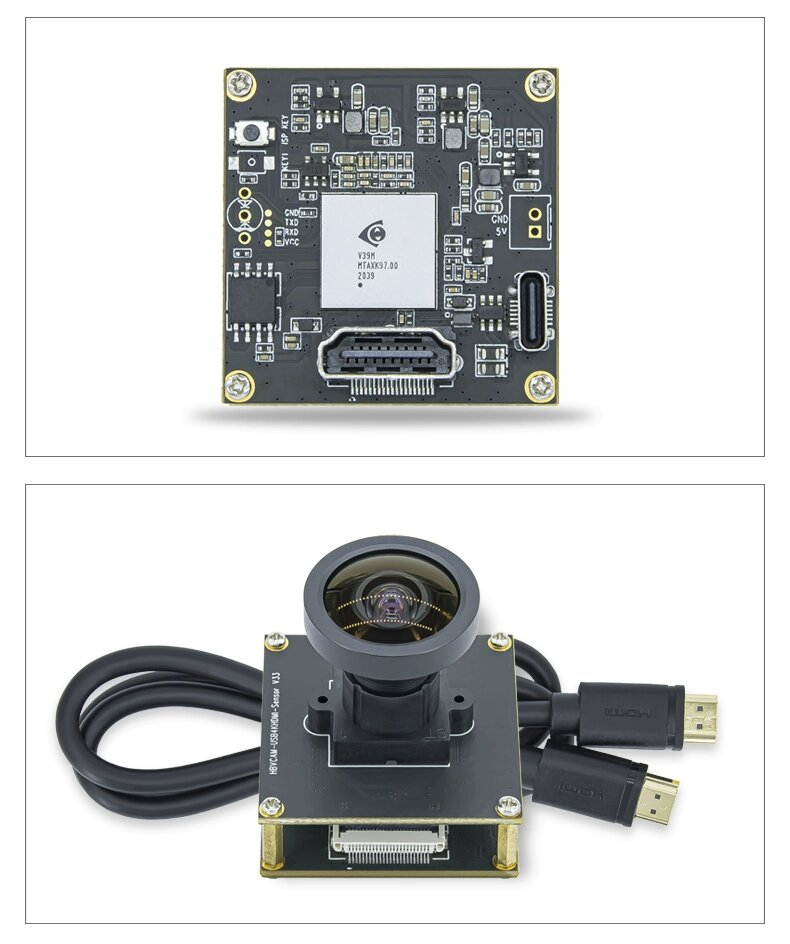
The Goobuy IMX678 HDMI camera module is a compact 4K camera board designed for direct HDMI live view.
Key features include:
This camera is designed for live viewing and display integration. If the project requires OpenCV, AI software capture, UVC video input or embedded Linux camera processing, a USB version of IMX678 may be a better choice.
If the project needs a 4K image directly on an HDMI monitor, the HDMI version is the right product direction.
Harsh machine environments often have poor lighting, strong contrast and difficult viewing positions.
A camera may need to see inside:
In these applications, the IMX678 STARVIS2 sensor provides a strong imaging foundation for low-light and high-contrast live view. It is especially useful when the operator needs better visible detail than a standard low-cost camera can provide.
However, the camera module should not be confused with a fully rugged outdoor camera.
The IMX678 HDMI module is best used inside a protected device, machine enclosure, monitor system or customer-designed housing. If the camera will be directly exposed to water, mud, dust, oil, washdown or impact, the final system needs additional mechanical protection or a dedicated rugged camera platform.
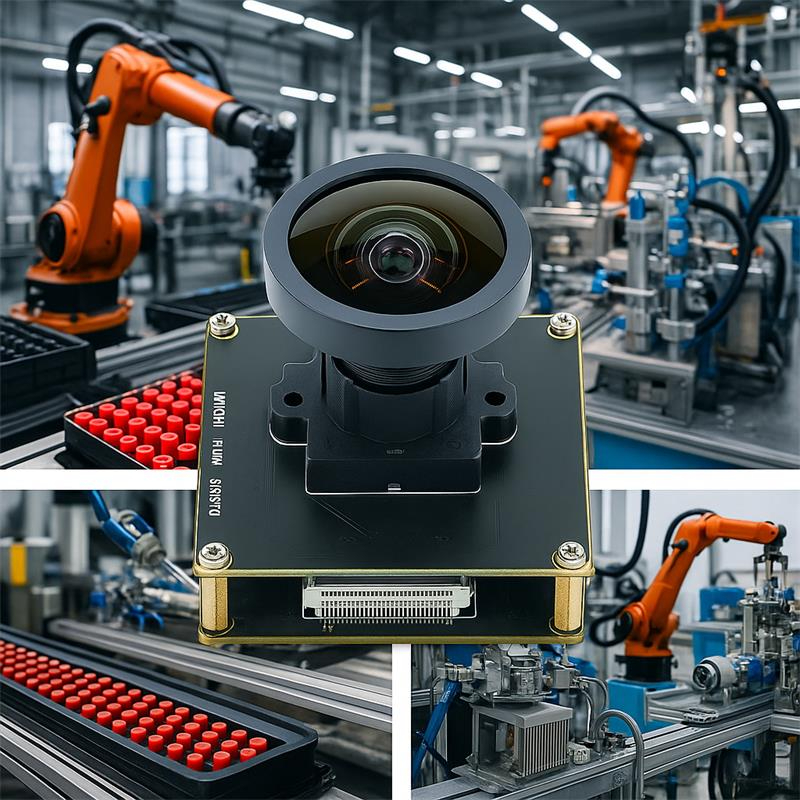
Many machines have important areas that are difficult or unsafe to view directly. Operators may need to see what happens inside the enclosure without opening covers or standing near moving parts.
An IMX678 HDMI camera can be installed inside a protected machine area and connected to an external monitor.
Typical applications include:
The 4K HDMI live image helps operators view details on a monitor without needing a PC application.
This is especially useful when the customer wants a dedicated viewing device, not a software-driven camera system.
Field-service teams often need a simple visual tool for machine troubleshooting. They may not want to carry a PC, install software or connect to the customer’s network.
A compact HDMI camera module can be used inside a portable inspection monitor or field-service display tool.
Typical uses include:
For these applications, HDMI output is practical because the technician can connect the camera to a monitor or recorder and see the image immediately.
This is a strong fit for service tools that need live viewing first and software processing second.
Some harsh-site equipment requires local visual monitoring, but the camera can be protected inside the equipment structure.
Examples include:
In these cases, the camera may not be directly exposed to the harsh environment, but the overall equipment is used in a tough site.
An IMX678 HDMI camera can provide 4K live view inside the protected system. The final enclosure, window, sealing, cable strain relief and thermal design should be handled by the equipment manufacturer or system integrator.
This is the correct way to position the product for harsh equipment: protected internal camera integration, not direct outdoor exposure.
Conveyors and production lines often need visual checking during setup, adjustment and troubleshooting.
A camera may be mounted to view:
An IMX678 HDMI camera can output directly to a monitor near the machine, allowing technicians to view the area live while adjusting the equipment.
For continuous exposed conveyor monitoring in dusty or wet environments, a rugged camera may be required. But for protected setup displays, test benches and machine-side viewing systems, a 4K HDMI camera module can be a practical solution.
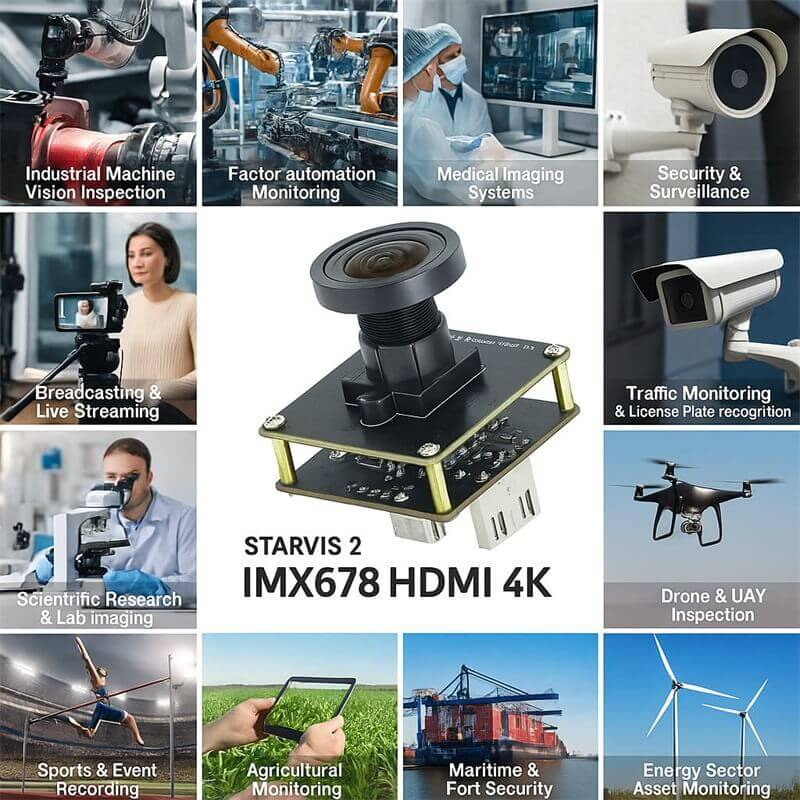
PCB inspection is one of the strongest traditional applications for a 4K HDMI camera module.
Electronics repair benches, micro-soldering stations, rework tools and inspection monitors need a sharp image with low latency. Operators want to see components, solder joints, labels, pads, connectors and small defects on a large screen.
An IMX678 HDMI camera is useful for:
The HDMI output makes the workflow simple: connect the camera to a monitor and start viewing.
This camera is not a replacement for high-speed AOI systems or calibrated measurement equipment. It is a live-view inspection camera for display-based visual work.
Some OEM devices need a 4K HDMI camera for optical display rather than software capture.
Examples include:
In these applications, the user often values immediate monitor output, stable image display and simple hardware integration.
The IMX678 HDMI camera can help OEMs build inspection devices where the operator needs to see a clear image without opening camera software.
Some specialty devices need a low-light HDMI camera because the scene is dim or enclosed.
Possible examples include:
The Sony STARVIS2 IMX678 sensor gives this type of hardware a better imaging foundation than many ordinary camera modules.
Final image quality still depends on lens aperture, focus distance, lighting, HDMI monitor quality, camera settings and enclosure window material. In very dark scenes, controlled LED or IR illumination may improve results more than changing the sensor alone.
Choosing between HDMI and USB is one of the most important decisions.
|
Requirement |
IMX678 HDMI Camera |
IMX678 USB Camera |
|
Direct monitor output |
Strong fit |
Not the main purpose |
|
No driver or SDK for live view |
Strong fit |
Usually software-dependent |
|
HDMI recorder input |
Strong fit |
Not direct |
|
Field service monitor |
Strong fit |
Possible with PC |
|
Machine interior display |
Strong fit |
Possible with host software |
|
OpenCV image processing |
Not ideal |
Strong fit |
|
Embedded Linux camera capture |
Not ideal |
Strong fit |
|
AI image processing |
Needs HDMI capture workflow |
Strong fit |
|
Software camera control |
Limited |
Better |
|
Best use |
Live display and inspection monitor |
Software capture and AI processing |
Choose the HDMI version if your system needs direct live display.
Choose the USB version if your system needs software capture, OpenCV, AI processing, UVC video input or embedded host integration.
A 4K live image helps operators see more detail on a monitor.
This can be useful for:
In machine monitoring, the value is not only resolution. The value is immediate visibility.
A technician can connect the HDMI camera to a monitor and inspect the scene without waiting for a software application to load or an IP camera to be configured.
This is why HDMI live view still has strong value in industrial and service equipment.
When using an IMX678 HDMI camera inside protected harsh equipment, system integrators should check the complete optical and mechanical design.
Important points include:
The camera module can provide the image. The final machine or equipment design must protect the camera and keep the viewing path clear.
For outdoor, washdown, high-dust, oil-mist or direct impact applications, the customer should evaluate a complete rugged camera platform or design a suitable protective housing around the HDMI camera module.
This camera is likely a strong fit when your project needs:
It is especially suitable when the user’s first requirement is:
“Power the camera, connect HDMI, and see the image.”
The IMX678 HDMI camera should not be selected blindly.
It may not be the best fit if your project needs:
For those applications, another camera platform may be more suitable.
The HDMI version is built for direct live display. It is not meant to replace every industrial camera interface.
Before selecting an IMX678 HDMI camera module, please define the application clearly.
Useful information includes:
Clear information helps avoid sending a camera that works electrically but does not fit the final device.
The Goobuy Sony STARVIS2 IMX678 4K HDMI Camera Module is designed for OEMs and integrators who need a compact HDMI live-view camera for inspection devices, machine equipment and industrial monitor systems.
For OEM projects, Goobuy can discuss:
Please provide your monitor type, working distance, lighting condition, mechanical space, lens angle requirement and estimated quantity.
The STARVIS IMX678 HDMI camera remains a practical choice for industrial live-view applications because many machines and inspection devices need a sharp image on a monitor, not a complicated camera software project.
For machine interiors, protected harsh equipment enclosures, field service monitors, PCB inspection benches, microscope displays and low-light specialty video devices, the IMX678 HDMI camera module provides 4K live view, STARVIS2 low-light imaging and direct HDMI output in a compact 38×38mm board format.
Its correct positioning is clear:
Use HDMI when the device needs direct live display.
Use USB when the device needs software capture or AI processing.
Use rugged camera platforms when the camera will be directly exposed to harsh outdoor conditions.
If your project needs a 4K HDMI camera module for machine vision, field service, equipment inspection or industrial live-view display, send us your application, monitor type, working distance, lighting condition, installation space and sample plan.
Goobuy can help evaluate whether the IMX678 HDMI camera module is the right configuration for your OEM device.
this article is updated by Mr Art huang from Shenzhen novel electronics limited in july 13th, 2026
Follow Me
Address:A615, 6F, Huachuangda Building, No107 Xinghua 1st Road, 43 District, Xinan street, Baoan, shenzhen, China 518101