
A rugged USB camera for harsh environments is an industrial vision component designed for OEMs and system integrators whose host devices must capture reliable video under rain, dust, vibration, low light, washdown, coolant, outdoor exposure, or remote equipment conditions. The right camera selection depends on the real failure mode: sealing, low-light image quality, bandwidth, thermal detection, motion distortion, connector reliability, or platform integration.
Industrial camera projects often fail for a simple reason: the camera worked well in the lab, but it could not survive the real site.
A normal USB camera may be acceptable for a desktop demo, an indoor test bench, or a short proof-of-concept. But once the same camera is installed inside a wet machine, outdoor robot, mining conveyor area, utility cabinet, vehicle platform, CNC enclosure, washdown system, or low-light industrial site, the weak points appear quickly.
The problem is not always resolution.
In harsh environments, the first failure may come from water spray, dust, vibration, cable strain, poor low-light visibility, host bandwidth overload, motion distortion, unstable lighting, heat risk, or a mismatch between the camera interface and the customer’s actual host system.
This guide explains how OEMs, system integrators, robot companies, industrial AI box teams, and equipment builders can select a rugged USB camera or related camera module for real field deployment.
It is written for professional teams that already have a host device, software workflow, enclosure, monitoring platform, robot, vehicle, industrial PC, Jetson system, RK platform, Linux host, Windows computer, Android terminal, DVR, NVR, edge AI box, or embedded controller — and need a camera module that can be evaluated, integrated, and adapted for repeatable projects.
Do not start with megapixels first. Start with the condition that will make the camera fail.
| If your site problem is... | Recommended camera direction |
|---|---|
| Ordinary USB cameras fail in rain, dust, or outdoor machines | IP67 waterproof USB camera |
| Wet machine, washdown, coolant, cleaning cabinet, or wastewater equipment | IP69K H.264 USB camera |
| Dark machine interior, dim outdoor equipment, night operation, or remote yard | STARVIS / STARVIS2 low-light USB camera |
| Conveyor, bearing, motor, electrical cabinet, or hot spot monitoring | Thermal camera module |
| Moving conveyor parts, robot motion, or fast object capture causes distortion | Global shutter USB camera |
| Host CPU, USB bandwidth, or storage is overloaded by raw video | H.264 USB camera |
| Long cable distance or networked remote video is required | PoE / IP camera board |
| Existing vehicle DVR or AHD display architecture is already fixed | Rugged AHD / CVBS camera solution |
| Compact robot or OEM device has very limited space | Micro embedded USB camera module |
| The application needs lens, cable, connector, firmware, housing, or mounting adaptation | Semi-custom camera module platform |
This guide is not written for hobby webcams, one-time DIY testing, student projects, price-only USB camera comparison, or generic CCTV accessory sourcing.
It is written for:
The ideal project usually has a real deployment environment, a host platform, a camera position, a target working distance, sample testing requirements, and possible repeat demand after validation.
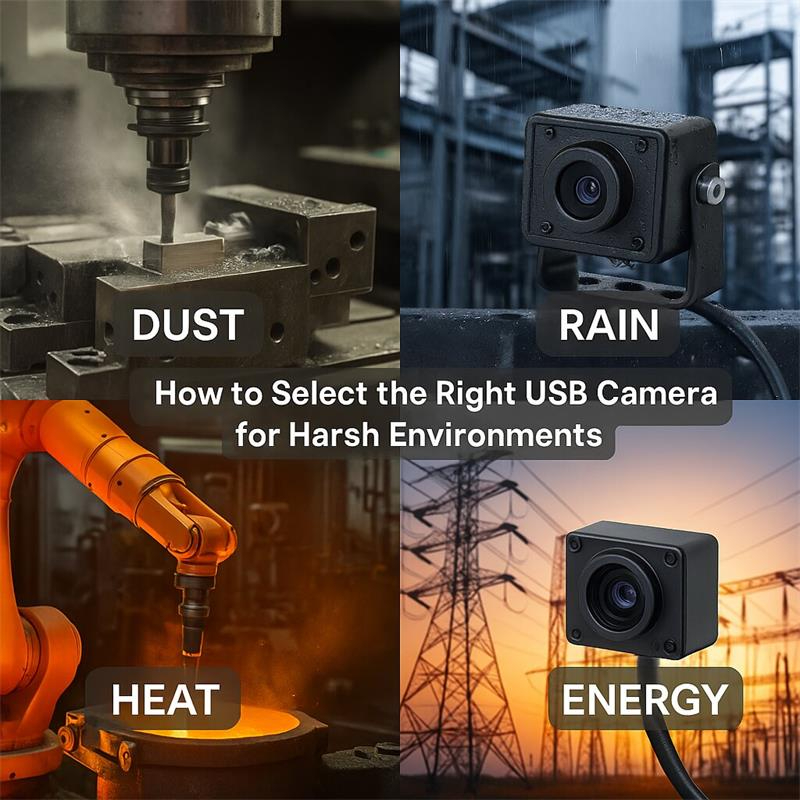
A harsh environment is not just “outdoor use.” In industrial and robotic projects, harsh conditions can be very different from one site to another.
Before choosing a camera, define which environment is actually creating risk.
These include cleaning equipment, parts washers, CNC coolant enclosures, food processing equipment, industrial wash cabinets, wastewater systems, utility cabinets, and wet inspection machines.
The camera may face water spray, foam, coolant, cleaning fluid, humidity, condensation, low light, reflective surfaces, and difficult maintenance access.
For this type of site, the buyer should look beyond “waterproof” and evaluate the complete camera assembly: housing, lens window, cable exit, connector, sealing structure, LED configuration, and mounting method.
Outdoor industrial equipment may face rain, dust, sunlight, vibration, temperature changes, mud, wind, insects, cable movement, and long operating hours.
Typical applications include agricultural machines, construction equipment, municipal equipment, outdoor robots, port equipment, remote monitoring boxes, and utility platforms.
For these projects, an IP67 waterproof USB camera or rugged low-light camera module may be a better starting point than a consumer webcam or indoor camera board.
Mining sites, quarries, coal handling plants, crushing stations, aggregate plants, and bulk material conveyors are difficult camera environments.
The camera may need to monitor belt movement, rollers, idlers, bearings, motors, transfer points, stockpiles, loading zones, dust, vibration, low light, and thermal risk.
Visible-light cameras can help confirm the scene. Thermal modules can help detect heat anomalies that a normal camera cannot see.
For conveyor and mining-related projects, the best direction may be a combination of rugged visible camera and thermal camera module, depending on the customer’s host system and detection goal.
Many real field problems are caused by poor light, not by poor resolution.
Machine interiors, robot docking areas, night-time yards, utility rooms, enclosed cabinets, warehouse aisles, tunnel-like spaces, equipment compartments, and shaded outdoor areas may not provide enough usable light for ordinary sensors.
For these cases, a STARVIS or STARVIS2 low-light USB camera can be more useful than simply choosing a higher-resolution standard camera.
Inspection robots, UGVs, mobile robots, and edge AI boxes often need compact camera inputs that can work with Linux, Windows, Android, Jetson, RK, industrial PCs, or embedded hosts.
The camera may need UVC compatibility, low latency, compact size, stable cable routing, H.264 compression, low-light performance, global shutter capture, or thermal sensing.
For these customers, the camera is usually not a finished consumer product. It is a vision input component for the customer’s own platform.
Pump stations, compressor rooms, electrical rooms, substations, utility cabinets, battery systems, pipeline-related equipment, and remote infrastructure sites often require visual confirmation and thermal monitoring.
In these projects, a visible-light camera helps the operator understand the scene, while a thermal module can support hot spot detection, early warning, and condition monitoring.
Final certification and enclosure design should be reviewed by the customer according to the specific site requirements.
Many buyers ask first:
“Do you have 4K?”
“Do you have 8MP?”
“Do you have 12MP?”
“Can we get higher resolution?”
Resolution matters, but it is rarely the first engineering question in a harsh environment.
A harsh-site camera project usually fails because of one of these issues:
The better question is:
“What will make the camera fail first in the field?”
Once this is clear, the camera selection becomes much easier.
An IP67 waterproof USB camera is a good starting point when the main risk is rain, dust, splash, outdoor exposure, or occasional water contact.
It is suitable for many outdoor OEM systems where the camera must connect to a host device through USB, but a normal USB camera body is too fragile.
Typical applications include:
IP67 is not the same as IP69K. IP67 usually focuses on dust-tight protection and temporary immersion conditions. IP69K is designed for high-pressure and high-temperature water jet cleaning conditions.
So the question is not simply:
“Is it waterproof?”
The real question is:
“Will the camera face rain and splashes, or will it face high-pressure washdown and aggressive cleaning?”
If the site is mainly outdoor rain, dust, splash, and general industrial exposure, an IP67 waterproof USB camera may be enough. If the camera will be installed inside a washdown machine, cleaning cabinet, food equipment, or coolant enclosure, IP69K may be a better direction.
Checked Goobuy UC-531 weatherproof UVC camera here:
IP67 waterproof USB camera for outdoor OEM equipment
An IP69K H.264 USB camera is a better fit when the camera must work in wet, dark, washed-down, dusty, coolant-splash, or vibration-prone environments.
This direction is especially useful when the customer already has a host computer, software platform, monitoring interface, edge AI box, or embedded controller — and needs a rugged USB video input that can survive the real site.
Typical applications include:
H.264 is important because many industrial monitoring projects do not need raw uncompressed video. They need stable video input, event recording, remote viewing, or AI-assisted visual confirmation.
Camera-side H.264 compression can help reduce:
This is valuable for edge AI boxes, industrial PCs, embedded hosts, and multi-camera monitoring systems.
check IP69K weatherproof UVC camera here:
rugged IP69K H.264 USB camera for wet industrial machines
Low-light performance is one of the most important differences between a normal USB camera and a professional industrial camera module.
Many harsh environments are not completely dark, but they have unstable or insufficient light. Examples include machine interiors, outdoor equipment at night, shaded industrial zones, tunnels, inspection robots, remote yards, utility rooms, and enclosed equipment.
In these situations, a STARVIS or STARVIS2 USB camera may provide more useful image quality than a standard high-resolution camera.
STARVIS low-light cameras are useful when the customer needs:
For fixed industrial vision, CS-lens options can be important. A CS-lens camera platform allows the customer to choose different focal lengths, field of view, and working distance.
For example, an OEM team may need a wide-angle lens for enclosed equipment, a medium lens for robot observation, or a longer lens for fixed-distance monitoring.
check goobuy starvis2 UVC camera
IMX585 STARVIS2 USB3 CS-lens camera for fixed low-light vision
IMX678 CS-lens USB camera platform for equipment integration
A visible camera shows what the scene looks like. A thermal camera shows temperature difference.
This is the key reason thermal modules are valuable in harsh industrial environments.
A thermal camera module may be the right direction when the project needs to monitor:
In mining, quarry, coal handling, crushing, bulk material, and energy-related applications, visible video alone may not detect the early sign of failure.
A STARVIS camera can help operators understand the scene. A thermal module can help detect heat anomalies.
This is why some industrial projects need a dual-sensor direction:
Visible camera for scene context.
Thermal camera for heat detection.
However, thermal selection should be based on the actual detection distance, field of view, temperature range, interface, host system, output format, and integration architecture.
check goobuy micro thermal core module:
1280×1024 USB thermal module for mining and industrial monitoring
640×512 ultra-wide CVBS thermal core for compact mobile platforms
If the target is moving quickly, a rolling shutter camera may create distortion. This is often called the “jello effect.”
This can happen in:
A global shutter sensor captures the frame more uniformly, helping reduce image distortion caused by motion.
Global shutter is not necessary for every harsh environment camera. For slow monitoring, low-light viewing, or general video observation, STARVIS or H.264 cameras may be more suitable.
But when the customer’s real problem is motion distortion, a global shutter USB camera should be evaluated early.
check goobuy Global shutter USB camera:
global shutter USB camera module for moving objects and robot vision
Many industrial camera projects start with raw USB video. During the lab test, everything looks fine.
But once the system uses multiple cameras, long-duration recording, limited host CPU, remote monitoring, or embedded computing, raw video may become a problem.
H.264 USB cameras are useful when the project needs:
A raw camera may be better for measurement, image processing, or computer vision algorithms that need uncompressed data.
An H.264 USB camera may be better for monitoring, recording, viewing, remote diagnostics, and AI-assisted visual confirmation.
The best choice depends on the customer’s host software and video workflow.
USB is often the fastest evaluation path when the customer already has a computer or embedded host.
But USB is not always the only answer.
USB is suitable when the customer has:
USB/UVC can be convenient because many hosts can recognize the camera as a standard video device.
PoE or IP camera boards are suitable when the project needs:
PoE is not always better than USB. It is better when the system architecture already uses network video.
Suggested internal link anchor:
PoE camera board for robot remote video and industrial monitoring
Link to relevant PoE camera board page
AHD or CVBS can still be useful when the customer has an existing vehicle DVR, industrial display, analog video system, or compact thermal video architecture.
This direction is common in vehicle platforms, retrofit systems, industrial monitoring, and some compact mobile equipment.
Thermal modules may provide USB, UART, HDMI, MIPI, SDI, BT.1120, CVBS, or other output options depending on the product model.
Thermal output selection should match the customer’s host, processing board, display, AI box, DVR, or embedded system.
A rugged camera can still fail the application if the lens is wrong.
Before selecting a camera, confirm:
For harsh environments, lens selection is not only optical. It is mechanical and environmental.
The lens must work with the housing, sealing, window, illumination, mounting angle, and cleaning condition.
For example:
A wide-angle lens may be good for machine interiors and robot navigation.
A longer focal length may be better for fixed-distance equipment monitoring.
A CS-lens platform may be better when the customer needs different working distances.
A fixed sealed lens may be better when the customer needs stronger environmental protection.
A thermal lens must match the detection target and distance, not just the camera resolution.
In real industrial installations, the camera body is not the only risk.
Many failures happen at the cable, connector, strain relief, mounting bracket, or installation position.
Professional buyers should check:
A camera that looks good in a sample test may still fail if the cable routing is not designed for the machine.
For OEM projects, cable and connector discussion should happen before final sample confirmation, not after mass production.
| Project condition | Recommended camera type | Why it fits |
| Outdoor rain, dust, splash, field equipment | IP67 waterproof USB camera | Better protection than indoor USB cameras |
| Washdown, coolant, wet machine, cleaning system | IP69K H.264 USB camera | Sealed structure and compressed USB video |
| Dark machine interior or night operation | STARVIS / STARVIS2 USB camera | Better low-light visible imaging |
| Fixed-view industrial monitoring | CS-lens STARVIS USB camera | Lens flexibility for working distance |
| Conveyor heat, bearing, motor, electrical hot spot | Thermal camera module | Detects heat risk not visible to normal cameras |
| Fast motion, robot movement, conveyor distortion | Global shutter USB camera | Reduces rolling shutter distortion |
| Edge AI box with limited CPU/storage | H.264 USB camera | Reduces host encoding and storage burden |
| Long cable or distributed monitoring | PoE / IP camera board | Easier network video architecture |
| Existing vehicle DVR or analog system | AHD / CVBS rugged camera | Fits legacy video input architecture |
| Compact robot or embedded device | Micro USB camera module | Small size and integration flexibility |
A professional camera sample should not be selected only by product name.
Before requesting a rugged camera sample, prepare the following information:
The more specific the project information, the faster a suitable camera direction can be selected.
Many harsh-environment camera projects do not require a completely new camera from zero.
Instead, the customer needs a proven camera platform with specific adaptation.
Goobuy supports semi-custom camera module discussion for OEM and system integration projects, including:
This is most suitable for customers who already have a host device, platform, enclosure, or monitoring workflow, but need a camera input that better matches the real deployment environment.
A rugged USB camera is useful in many industrial projects, but it is not the answer for every case.
You may need a different direction if:
For high-risk regulated environments, the final product design, enclosure, cable, connector, certification, and installation method must be reviewed according to the customer’s industry standard.
Goobuy provides camera modules and integration support. The customer or system integrator should confirm final system compliance for the target site.
A machine builder has an industrial PC and wants to monitor the inside of a wet cleaning machine. The camera must survive water spray, humidity, darkness, and long operating hours.
Recommended direction:
IP69K H.264 USB camera with LEDs.
Why:
The main risk is wet environment survival and host-side video efficiency, not ultra-high resolution.
A robot company needs a camera for an outdoor inspection platform. The camera will face rain, dust, vibration, and changing light.
Recommended direction:
IP67 waterproof USB camera or STARVIS low-light USB camera, depending on lighting conditions.
Why:
The main risk is outdoor reliability and usable image quality under changing light.
A conveyor monitoring company needs to detect abnormal heating on rollers, idlers, bearings, or motors.
Recommended direction:
Thermal camera module, possibly combined with a visible-light STARVIS camera.
Why:
Heat anomalies cannot be reliably detected by visible imaging alone.
An industrial AI platform uses multiple video inputs and long-duration recording. Raw video increases bandwidth, CPU load, and storage pressure.
Recommended direction:
H.264 USB camera or PoE/IP camera, depending on architecture.
Why:
Compressed video can reduce host-side pressure.
A robot or conveyor application needs to capture moving objects without rolling shutter distortion.
Recommended direction:
Global shutter USB camera.
Why:
The main risk is motion distortion, not waterproofing or low-light performance.
Goobuy does not position rugged camera modules as generic consumer webcams. The focus is on OEM and system integration projects where the camera must connect to an existing host, platform, machine, robot, vehicle, or monitoring system.
Depending on the customer’s environment, Goobuy can support the following directions:
For outdoor equipment, rain, dust, splash, utility devices, robots, field machines, and OEM systems that need a sealed USB video input.
For wet machines, washdown systems, CNC coolant enclosures, cleaning equipment, utility and wastewater monitoring, and edge AI platforms that need compressed rugged USB video.
For dark machine interiors, outdoor low-light operation, inspection robots, industrial monitoring, remote equipment, and fixed-view applications where usable image quality under weak light matters.
For OEM projects that need flexible lens selection, fixed industrial view, different working distances, and metal-housing camera evaluation.
For moving object capture, robot vision, conveyor monitoring, barcode scanning, and applications where rolling shutter distortion is unacceptable.
For conveyor monitoring, hot spot detection, bearing and motor inspection, electrical cabinets, energy infrastructure, mining-related monitoring, and predictive maintenance systems.
For network video, robot remote video, ONVIF systems, long cable distance, NVR architecture, and distributed industrial monitoring.
For vehicle platforms, existing DVR systems, analog display architecture, compact thermal video paths, and retrofit industrial systems.
The right rugged camera is not always the camera with the highest resolution.
The right camera is the one that matches the real site failure mode, host system, optical requirement, environmental risk, and business deployment plan.
Use this order:
For professional OEM and system integration projects, Goobuy can help evaluate a suitable rugged camera direction based on your host platform, site environment, working distance, video format, cable routing, lens requirement, and expected pilot demand.
To help us recommend the right rugged camera module, please send:
If your project already has a host device and a real deployment plan, we can help you select a practical camera direction for evaluation.
Choose a harsh-environment USB camera by identifying the first likely field failure: water, dust, washdown, low light, vibration, motion distortion, bandwidth, thermal risk, cable strain, or host compatibility. After that, select the camera type, lens, interface, housing, cable, and video format around the real deployment condition.
IP67 is usually suitable for dust, rain, splash, and temporary water exposure. IP69K is more suitable for high-pressure washdown, wet machines, coolant areas, cleaning equipment, and harsh water-jet environments. The correct choice depends on the complete installation condition, not only the IP label.
Choose a STARVIS or STARVIS2 low-light USB camera when the main challenge is weak illumination, night operation, dark machine interiors, enclosed equipment, robot vision, or remote industrial monitoring. In these cases, usable image quality under low light may matter more than simply increasing resolution.
A thermal camera module is more suitable when the target is heat, not appearance. It is useful for detecting abnormal temperature, hot spots, overheating bearings, conveyor rollers, motors, electrical cabinets, battery systems, pumps, compressors, and other equipment where visible video alone cannot show early thermal risk.
H.264 USB video can be better for edge AI boxes, industrial PCs, embedded hosts, and long-duration monitoring systems when the goal is viewing, recording, remote diagnostics, or AI-assisted confirmation. It helps reduce host-side encoding workload, USB bandwidth pressure, and storage demand. Raw video may still be better for measurement or high-precision image processing.
Many USB/UVC cameras can work with common host platforms such as Linux, Windows, Android, Jetson, RK, industrial PCs, and edge AI boxes. However, final compatibility should be tested with the customer’s actual host, software, video format, resolution, frame rate, and cable configuration.
Check the IP rating, housing, lens window, cable exit, connector, sealing method, mounting position, cleaning method, lighting condition, condensation risk, chemical exposure, and maintenance access. The complete camera assembly and installation method determine field reliability.
For overheating monitoring, a thermal camera module is usually the key sensor. A visible-light camera can be added to provide scene context. For conveyor and industrial equipment projects, the final choice depends on detection distance, field of view, target temperature range, host system, output format, and integration architecture.
Send your application, host platform, operating system, interface, environment, lighting condition, working distance, field of view, mounting position, cable length, connector preference, waterproof requirement, video format, sample quantity, expected pilot demand, and project schedule. This helps avoid selecting the wrong camera only by resolution.
Yes. For suitable OEM and system integration projects, Goobuy can discuss lens angle, focal length, cable length, connector type, housing, mounting, LED configuration, UVC parameters, H.264 stream details, camera name, labeling, and private label requirements. Customization depends on project feasibility, sample validation, quantity, schedule, and engineering requirements.
This Article is updated in June 16th, 2026 by Shenzhen Novel Electronics limited
Follow Me
Address:A615, 6F, Huachuangda Building, No107 Xinghua 1st Road, 43 District, Xinan street, Baoan, shenzhen, China 518101