How to Choose the Right Camera Type and Interface for Mining, Conveyors, BESS, Substations, Energy Sites and Environmental Monitoring
Choosing an industrial vision camera for a harsh environment is not only a question of resolution. In mining, conveyors, BESS, substations, heavy industry, energy facilities and environmental monitoring sites, the wrong camera can fail even if the sensor looks good on paper.
The correct camera must match the real site condition, optical task, host system, cable distance, interface, enclosure, lighting, temperature, vibration, maintenance access and data workflow.
This guide explains how engineers and system integrators should select camera types and interfaces for harsh industrial environments without assuming that one camera can solve every problem.
1. Start With the Field Problem, Not the Camera Specification
Many failed industrial camera projects start with the wrong question.
A buyer may ask:
“What is the highest resolution camera you have?”
A better question is:
“What must the system see, under what environmental condition, through which interface, and what decision should the image support?”
Before selecting any camera, define the real field problem:
- Is the camera for detection, confirmation, navigation, inspection or recording?
- Is the target moving or fixed?
- Is the target close, medium distance or far away?
- Is the environment dark, dusty, wet, hot, cold, foggy or vibrating?
- Is the camera directly exposed or protected inside an enclosure?
- Does the system need visible video, thermal data or both?
- Does the camera connect to an edge AI box, industrial PC, DVR, PLC system, SCADA gateway or local monitor?
- Does the site need real-time video, event clips, still images or measurement data?
Industrial vision camera selection becomes much easier after these questions are answered.
2. The Four Basic Camera Jobs in Harsh Sites
Most harsh-site camera systems perform one or more of four jobs.
2.1 Visible Confirmation
Visible confirmation means the camera helps an operator understand what is happening in the real scene.
Examples:
- Is the conveyor belt moving?
- Is the cabinet door open?
- Is there smoke, steam, dust or material blockage?
- Did a service vehicle arrive?
- Is the machine still operating?
- Is the event real or a false alarm?
Best camera types:
- low-light visible camera;
- WDR camera;
- rugged visible camera;
- zoom camera for long-distance confirmation.
2.2 Heat or Fire-Risk Detection
Visible cameras cannot measure heat. If the main problem is temperature abnormality, thermal imaging is usually required.
Examples:
- overheated conveyor rollers;
- bearing temperature rise;
- electrical cabinet hotspots;
- BESS thermal abnormality;
- motor or pump overheating;
- early fire-risk monitoring.
Best camera types:
- thermal camera;
- dual-spectrum camera;
- thermal module plus visible confirmation camera.
2.3 Motion-Critical Inspection
If the object moves quickly or the camera platform vibrates, rolling shutter distortion and motion blur may damage image quality.
Examples:
- conveyor belt surface inspection;
- robot arm motion;
- moving machinery;
- vehicle-mounted inspection;
- fast product sorting;
- vibrating mobile platforms.
Best camera types:
- global shutter camera;
- high-frame-rate camera;
- controlled lighting camera system;
- industrial camera with short exposure support.
2.4 Operator View and Maintenance Evidence
Sometimes the camera is not for AI. It is for operators, technicians and maintenance teams.
Examples:
- machine interior monitoring;
- field service recording;
- control cabinet viewing;
- inspection tool display;
- remote troubleshooting;
- before-and-after repair documentation.
Best camera types:
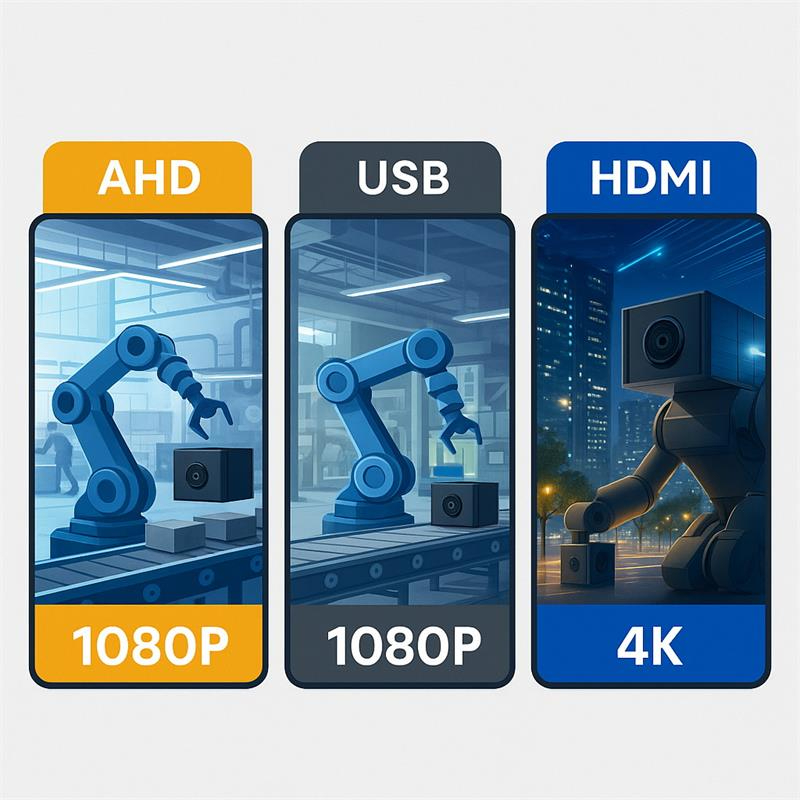
- HDMI camera for direct monitor;
- AHD camera with DVR monitor;
- USB camera for local host recording;
- IP camera for networked remote viewing.
3. Camera Selection by Harsh Application
3.1 Mining Sites
Mining sites often include dust, low light, vibration, long cable runs, remote locations and difficult maintenance access.
Typical vision tasks:
- conveyor transfer point monitoring;
- material flow confirmation;
- chute blockage observation;
- underground low-light viewing;
- vehicle blind-zone monitoring;
- equipment cabinet viewing;
- dust, smoke or abnormal activity confirmation.
Recommended camera directions:
- low-light visible camera for scene confirmation;
- thermal camera for heat risk;
- rugged IP-rated camera for exposed areas;
- AHD or IP camera for long cable runs;
- USB camera only when the camera is close to a protected host device;
- global shutter camera when motion distortion is a problem.
Interface recommendation:
- Use AHD or IP / PoE when the camera is far from the display or recorder.
- Use USB when the camera is inside a protected machine, robot or edge AI device.
- Use thermal + visible dual-camera design when both heat risk and scene confirmation matter.
- Avoid bare board cameras in exposed mining dust or vibration unless the final enclosure is properly engineered.
3.2 Conveyor Monitoring
Conveyors are common in mining, ports, cement plants, steel plants, recycling facilities, grain terminals and bulk-material handling sites.
Typical vision tasks:
- belt movement confirmation;
- belt edge observation;
- material flow monitoring;
- spillage detection;
- chute blockage;
- roller and bearing hotspot detection;
- foreign object confirmation;
- night-shift monitoring.
Recommended camera directions:
- low-light visible camera for belt and material view;
- thermal camera for roller, bearing and motor heat risk;
- global shutter camera for moving belt inspection;
- rugged camera for dust, vibration and outdoor exposure;
- wide-angle camera for general view;
- zoom camera for distant fixed points.
Interface recommendation:
- AHD can be practical for simple long-cable local monitoring.
- IP / PoE is useful when video must connect to an industrial network.
- USB is best when the camera is connected to a nearby edge AI box or embedded host.
- MIPI is only suitable when the camera is inside a custom embedded device and cable length is very short.
- HDMI is useful for local operator display, not for long-distance field networking.
3.3 BESS and Battery Energy Storage Sites
BESS sites require a careful combination of sensors, because visible cameras and thermal cameras solve different problems.
Typical vision tasks:
- cabinet or container access monitoring;
- smoke, vapor or visible abnormality confirmation;
- service activity recording;
- thermal risk observation;
- remote event evidence;
- post-alarm inspection support.
Recommended camera directions:
- thermal camera for heat abnormality;
- visible low-light camera for event confirmation;
- WDR camera if the site has strong sunlight and shadows;
- rugged outdoor camera for exposed positions;
- compact camera module for protected monitoring boxes.
Interface recommendation:
- IP / PoE is suitable for fixed site camera networks.
- USB can be suitable inside a local edge AI terminal or monitoring box.
- Thermal modules may use USB, Ethernet, CVBS, MIPI or serial control depending on system architecture.
- Avoid relying on visible cameras alone for battery heat risk.
- Avoid relying on thermal images alone when operators also need scene context.
3.4 Substations and Utility Power Sites
Substations need visual and thermal monitoring, but they also require careful system design because of electrical safety, EMI, grounding, surge and outdoor exposure.
Typical vision tasks:
- transformer hotspot detection;
- connector and cabinet thermal observation;
- switch or indicator confirmation;
- access point monitoring;
- robot inspection view;
- night patrol support;
- remote event evidence.
Recommended camera directions:
- thermal camera for hotspots;
- visible low-light camera for scene confirmation;
- zoom camera for distant equipment details;
- WDR camera for sunlight, sky background and shadow contrast;
- rugged outdoor camera for exposed switchyard positions;
- robot camera stack for mobile inspection platforms.
Interface recommendation:
- IP / PoE is common for fixed utility monitoring networks.
- Fiber or industrial network design may be needed for long-distance and EMI-sensitive sites.
- USB is suitable inside inspection robots, utility terminals or protected monitoring boxes.
- AHD can be useful for simple local video where IP setup is not required.
- Camera selection must consider the final enclosure, grounding and surge protection.
3.5 Heavy Industry and Machine Equipment
Heavy industrial sites include steel, cement, chemical processing, recycling, manufacturing, ports, paper mills and large machinery.
Typical vision tasks:
- machine interior observation;
- process area viewing;
- pump and compressor monitoring;
- furnace-side protected observation;
- production line troubleshooting;
- operator-view video;
- service recording;
- cabinet and panel viewing.
Recommended camera directions:
- low-light visible camera for dim machine areas;
- WDR camera for high-contrast scenes;
- IP67 / IP69K camera for wet or washdown areas;
- HDMI camera for direct operator monitor;
- AHD camera with DVR monitor for local recording;
- USB camera for embedded host systems;
- thermal camera for heat-risk inspection.
Interface recommendation:
- HDMI is best for direct live display.
- AHD is best for simple long-cable local monitoring.
- USB is best for embedded host integration.
- IP / PoE is best for networked multi-camera systems.
- Global shutter is needed when motion distortion affects the task.
3.6 Energy Facilities, Oil & Gas and Remote Infrastructure
Energy facilities may include pump stations, compressor stations, pipelines, refineries, offshore platforms, solar farms, wind farms and remote utility sites.
Typical vision tasks:
- access monitoring;
- equipment status confirmation;
- valve or gauge view;
- smoke, vapor or leak context;
- pump or compressor area monitoring;
- remote field observation;
- night maintenance evidence;
- thermal inspection.
Recommended camera directions:
- thermal camera for heat abnormality;
- visible low-light camera for scene confirmation;
- zoom camera for long-distance observation;
- rugged IP-rated camera for outdoor exposure;
- explosion-rated camera where hazardous-zone rules require certification;
- dual-spectrum camera where visible and thermal confirmation are both important.
Interface recommendation:
- IP / PoE is often suitable for networked fixed installations.
- Fiber or industrial Ethernet may be required for long-distance infrastructure.
- USB is suitable for protected edge boxes, robots or local monitoring devices.
- Analog video may be useful for simple vehicle or field service systems.
- For hazardous areas, certification and final enclosure design may matter more than camera image quality.
3.7 Environmental Monitoring and Wastewater Sites
Environmental sites often involve moisture, corrosion, condensation, insects, low light, remote equipment and limited maintenance access.
Typical vision tasks:
- pump room monitoring;
- wastewater equipment status;
- remote cabinet viewing;
- service visit confirmation;
- water treatment equipment observation;
- air quality station visual check;
- environmental event evidence.
Recommended camera directions:
- low-light visible camera for remote confirmation;
- IP67 / IP68 / IP69K camera depending on exposure;
- WDR camera for outdoor-facing terminals;
- thermal camera when heat-risk equipment is involved;
- compact camera module inside sealed monitoring devices.
Interface recommendation:
- IP / PoE is practical for fixed facility networks.
- USB is practical inside edge terminals or data loggers.
- AHD may be useful for simple local monitor systems.
- Cable gland, sealing, condensation control and window cleanliness are critical.
- Do not select a bare camera module for wet or corrosive exposure without enclosure design.
4. Camera Type Selection Guide
4.1 Low-Light Visible Camera
Choose a low-light visible camera when the main problem is dark or weakly lit scenes.
Best for:
- mining tunnels;
- night-shift conveyor monitoring;
- equipment rooms;
- machine interiors;
- pump stations;
- remote field boxes;
- operator-view systems.
Not ideal for:
- temperature measurement;
- heavy smoke penetration;
- high-speed inspection without proper shutter control;
- direct outdoor exposure without rugged housing.
4.2 WDR Camera
Choose a WDR camera when the scene has bright and dark areas at the same time.
Best for:
- substations with sky background;
- BESS sites with strong sunlight and cabinet shadows;
- kiosks and terminals facing glass doors;
- machine windows with internal lighting;
- vehicle or gate-entry scenes;
- reflective industrial surfaces.
Not ideal for:
- complete darkness;
- heat-risk detection;
- long-distance zoom inspection by itself.
4.3 Thermal Camera
Choose a thermal camera when the system must detect heat patterns.
Best for:
- conveyor roller overheating;
- bearing and motor hot spots;
- electrical cabinets;
- BESS thermal risk;
- pump and compressor temperature abnormality;
- early fire-risk monitoring;
- night detection without visible light.
Not ideal for:
- reading labels;
- identifying small visual details;
- confirming exact scene context;
- replacing visible evidence.
4.4 Dual-Spectrum Camera
Choose a dual-spectrum camera when both heat detection and visible confirmation are required in one system.
Best for:
- BESS safety monitoring;
- substations;
- conveyors;
- mining equipment;
- energy facilities;
- heavy industrial predictive maintenance.
Not ideal for:
- low-cost simple viewing;
- very small embedded devices;
- projects where thermal and visible cameras must be mounted in different positions.
4.5 Global Shutter Camera
Choose a global shutter camera when motion distortion matters.
Best for:
- fast conveyor inspection;
- moving robot vision;
- vibration-prone platforms;
- high-speed object capture;
- machine vision triggering;
- visual servoing.
Not ideal for:
- general low-light monitoring if sensitivity is the main issue;
- long-distance thermal monitoring;
- simple operator-view video.
4.6 Rugged IP-Rated Camera
Choose a rugged camera when the camera is directly exposed to dust, water, rain, mud, oil mist, cleaning or vibration.
Best for:
- outdoor mining equipment;
- marine and port equipment;
- wastewater sites;
- washdown machinery;
- heavy equipment;
- exposed conveyor locations;
- food processing washdown areas.
Not ideal for:
- extremely small embedded products;
- software-first AI projects where a bare module inside the host is enough;
- certified hazardous-zone installations unless the camera has the correct certification.
4.7 Zoom or PTZ Camera
Choose a zoom or PTZ camera when the target distance changes or long-distance confirmation is needed.
Best for:
- substations;
- ports;
- pipelines;
- solar farms;
- wind farms;
- perimeter monitoring;
- remote infrastructure.
Not ideal for:
- close-range machine interiors;
- very small equipment enclosures;
- high-speed machine vision;
- thermal risk detection by itself.
5. Interface Selection Guide
5.1 USB Camera
USB is suitable when the camera is close to a host computer, embedded system, edge AI box, robot controller or industrial terminal.
Best for:
- embedded vision devices;
- robots;
- edge AI terminals;
- machine-side PCs;
- inspection tools;
- protected monitoring boxes;
- short cable systems.
Advantages:
- simple host integration;
- common UVC support;
- power and data through one cable;
- good for software processing;
- suitable for OpenCV and embedded Linux workflows.
Limitations:
- cable length is limited without extenders;
- connectors need strain relief in vibration;
- not ideal for very long field cable runs;
- host USB bandwidth must be managed carefully.
Use USB when the camera is part of the customer’s device.
5.2 USB3 Camera
USB3 is suitable when higher resolution, higher frame rate or lower compression is required.
Best for:
- 4K low-light cameras;
- industrial review systems;
- edge AI video input;
- high-resolution inspection;
- field video encoders;
- machine vision development systems.
Advantages:
- higher bandwidth than USB2.0;
- good for high-resolution image transfer;
- suitable for industrial PCs and edge systems.
Limitations:
- cable quality matters;
- cable length is shorter than Ethernet without active extension;
- EMI and connector stability must be considered.
Use USB3 when the host is nearby and high data rate matters.
5.3 GigE / IP / PoE Camera
GigE, IP and PoE cameras are suitable for networked industrial monitoring systems.
Best for:
- fixed site camera networks;
- substations;
- energy facilities;
- BESS sites;
- outdoor infrastructure;
- multi-camera systems;
- remote monitoring rooms.
Advantages:
- long cable distance compared with USB;
- network integration;
- PoE can carry power and data on one cable;
- useful for distributed site monitoring.
Limitations:
- requires network setup;
- latency depends on compression and system design;
- cybersecurity must be considered;
- not always ideal for compact embedded devices.
Use IP / PoE when the camera is part of a site network.
5.4 AHD Camera
AHD is suitable for simple long-cable local video systems where low latency and DVR display are more important than software processing.
Best for:
- machine monitoring;
- heavy equipment;
- local DVR monitor systems;
- simple field service video;
- conveyor or equipment viewing;
- analog retrofit projects.
Advantages:
- long cable routing;
- real-time local display;
- simple wiring;
- no IP address setup;
- useful for DVR monitor kits.
Limitations:
- not ideal for direct AI processing without conversion;
- image control and metadata are limited;
- less flexible than digital interfaces.
Use AHD when the project needs simple camera-to-monitor video.
5.5 HDMI Camera
HDMI is suitable for direct monitor display.
Best for:
- inspection benches;
- machine setup screens;
- field service monitors;
- microscope or lab displays;
- operator-assisted viewing.
Advantages:
- direct live display;
- no camera software needed;
- good for human viewing.
Limitations:
- not ideal for long field cable runs;
- not a native machine vision interface;
- software capture requires HDMI capture hardware.
Use HDMI when the main user is a human operator watching a monitor.
5.6 MIPI Camera
MIPI is suitable for inside-device camera integration.
Best for:
- custom embedded products;
- robotics boards;
- AI modules;
- compact terminals;
- high-volume OEM designs.
Advantages:
- compact;
- efficient;
- good for board-level embedded design.
Limitations:
- short cable distance;
- driver and ISP integration required;
- not ideal for quick field retrofits;
- host platform compatibility is critical.
Use MIPI only when the engineering team controls the embedded platform.
5.7 GMSL / FPD-Link Camera
GMSL and FPD-Link are useful for vehicle, robot and harsh mobile systems that need robust long-distance camera links.
Best for:
- heavy equipment;
- autonomous vehicles;
- mining vehicles;
- mobile robots;
- agricultural machinery;
- multi-camera rugged platforms.
Advantages:
- longer cable distance than MIPI;
- robust high-speed video transmission;
- useful for synchronized multi-camera systems;
- suitable for automotive-style architectures.
Limitations:
- requires serializer / deserializer design;
- host platform support is more complex;
- not as plug-and-play as USB or IP.
Use GMSL / FPD-Link when the camera is part of a rugged mobile platform architecture.
6. Interface Decision Matrix
| Application Requirement |
Recommended Interface |
| Short-distance embedded AI box |
USB / USB3 / MIPI |
| Long-distance fixed site monitoring |
IP / PoE / GigE |
| Simple local monitor with DVR |
AHD |
| Direct operator display |
HDMI |
| Mobile vehicle or robot camera link |
GMSL / FPD-Link |
| High-speed industrial machine vision |
USB3 / GigE Vision / CoaXPress |
| Low-cost machine viewing |
AHD or USB |
| Multi-camera outdoor site |
IP / PoE |
| Inside custom OEM device |
MIPI or USB |
| Heavy equipment with vibration |
GMSL / rugged AHD / rugged IP depending on host |
7. Global Energy and Harsh-Site Application Examples
7.1 United States: BESS, Heavy Industry and Utility Sites
The United States has large energy storage, utility, mining, oil and gas, manufacturing and environmental infrastructure markets.
Typical camera needs:
- BESS visible + thermal monitoring;
- utility substation inspection;
- wastewater pump room viewing;
- industrial gate and access monitoring;
- heavy equipment operator view;
- conveyor and material handling monitoring.
Recommended camera directions:
- thermal + visible for BESS;
- low-light visible for remote equipment;
- IP / PoE for fixed utility networks;
- USB for edge AI terminals and monitoring boxes;
- rugged IP-rated cameras for exposed outdoor positions.
7.2 Canada: Mining, Cold Weather and Remote Infrastructure
Canada has mining, oil sands, hydroelectric, forestry and remote infrastructure applications.
Typical camera needs:
- low-light camera for winter and remote sites;
- rugged camera for outdoor mining equipment;
- thermal camera for mechanical and electrical heat risk;
- long-distance IP camera systems for remote facilities;
- vehicle-grade camera links for heavy equipment.
Recommended camera directions:
- rugged low-light visible camera;
- thermal camera for equipment health;
- IP / PoE or fiber-backed networks for remote sites;
- GMSL or rugged AHD for vehicle platforms;
- protected USB cameras inside equipment cabins or edge boxes.
7.3 Australia: Mining, Conveyors and Dust
Australia has large mining and bulk-material handling applications where dust, heat, vibration and long conveyors are common problems.
Typical camera needs:
- conveyor transfer point monitoring;
- dust-resistant camera installation;
- truck and equipment viewing;
- roller and bearing thermal monitoring;
- remote site camera networks.
Recommended camera directions:
- thermal + visible for conveyor health;
- rugged IP-rated cameras for exposed dust;
- AHD or IP for long cable runs;
- USB only inside protected equipment;
- global shutter if motion blur affects belt inspection.
7.4 Germany: Machine Equipment, Energy and Industrial Automation
Germany has strong machine-building, automation, energy and industrial monitoring needs.
Typical camera needs:
- machine enclosure viewing;
- industrial inspection terminals;
- energy cabinet monitoring;
- production line fault recording;
- robot cell observation.
Recommended camera directions:
- USB or HDMI for machine-side host systems;
- low-light visible cameras for dark enclosures;
- WDR cameras for reflective machinery and strong contrast;
- thermal for electrical and mechanical heat monitoring;
- GigE / IP for factory networked systems.
7.5 Norway, United Kingdom and Netherlands: Offshore Energy, Ports and Marine Equipment
North Sea, port and offshore applications often face low light, rain, salt air, fog, wind and difficult service access.
Typical camera needs:
- port equipment monitoring;
- offshore service device vision;
- remote energy site viewing;
- marine maintenance camera systems;
- long-range visual confirmation.
Recommended camera directions:
- rugged visible cameras with corrosion-resistant housing;
- thermal for equipment and safety risk;
- zoom or PTZ for long-distance site viewing;
- IP / PoE for networked site systems;
- protected USB cameras inside service tools and terminals.
7.6 Saudi Arabia, UAE and Qatar: Energy Facilities, Solar and Harsh Outdoor Conditions
Middle East energy sites often include heat, dust, strong sunlight, glare and remote outdoor infrastructure.
Typical camera needs:
- oil and gas facility monitoring;
- solar and BESS site visual confirmation;
- gate and perimeter equipment;
- pump and compressor station observation;
- dust-resistant outdoor equipment cameras.
Recommended camera directions:
- WDR cameras for strong sunlight and shadows;
- rugged IP-rated cameras for dust and heat;
- thermal cameras for equipment risk;
- IP / PoE for fixed site systems;
- protected USB cameras inside edge cabinets.
7.7 Chile and Brazil: Mining, Energy and Remote Monitoring
Chile and Brazil have mining, energy, hydro, logistics and environmental monitoring needs.
Typical camera needs:
- mining conveyor viewing;
- remote energy site monitoring;
- water infrastructure observation;
- dust and vibration protection;
- night and low-light equipment visibility.
Recommended camera directions:
- rugged visible camera for exposed mining;
- thermal for equipment heat risk;
- IP / PoE for distributed site monitoring;
- AHD for simple local long-cable video;
- USB for edge boxes and protected monitoring terminals.
7.8 South Africa: Mining, Power and Industrial Security-Adjacent Monitoring
South Africa has mining, energy, utility and heavy industrial sites where cameras may support operational monitoring and safety confirmation.
Typical camera needs:
- mine and conveyor monitoring;
- substation and utility site viewing;
- pump station observation;
- night operation confirmation;
- heavy equipment visual assistance.
Recommended camera directions:
- low-light visible cameras;
- thermal cameras for heat and safety risk;
- rugged cameras for dust and outdoor exposure;
- IP / PoE for remote sites;
- AHD for local monitor and DVR systems.
8. Resolution Selection: Do Not Overbuy Pixels
Resolution should match the task.
1–2MP
Good for:
- general scene monitoring;
- operator view;
- low bandwidth;
- local recording;
- simple equipment confirmation.
4–5MP
Good for:
- moderate detail;
- QR or label viewing;
- closer inspection;
- edge AI image input;
- better cropping than 2MP.
8MP / 4K
Good for:
- larger scene coverage;
- fixed-view high-detail monitoring;
- industrial review stations;
- remote field video;
- inspection devices;
- visible evidence where detail matters.
12MP and Above
Good for:
- high-detail still capture;
- large-area inspection;
- OCR or defect inspection;
- post-processing.
But higher resolution increases:
- bandwidth;
- storage;
- host processing load;
- heat;
- lens requirement;
- low-light exposure challenges.
For harsh environments, 1080P with strong low-light performance may be better than 4K with poor lighting.
9. Lens and Field of View Matter More Than Many Buyers Expect
The wrong lens can make the right sensor useless.
Define:
- working distance;
- target size;
- required scene width;
- available mounting position;
- desired field of view;
- distortion tolerance;
- depth of field;
- focus method;
- aperture;
- need for IR correction;
- protective window effect.
General rules:
- Wide-angle lenses are useful for scene awareness.
- Narrow lenses are better for distant targets or fixed inspection points.
- CS lenses are useful when the working distance and field of view must be adjusted.
- Autofocus is useful when target distance changes.
- Fixed focus is better when the geometry is stable.
- Large aperture helps low light but may reduce depth of field.
- Protective windows can introduce glare, reflection, focus shift and image degradation.
In many harsh-site projects, lens selection is more important than sensor selection.
10. Enclosure, Connector and Cable Are Part of Camera Selection
In harsh environments, the camera module is only one part of the system.
Engineers must also consider:
- IP rating;
- vibration resistance;
- operating temperature;
- condensation;
- cable strain relief;
- connector locking;
- shielding;
- grounding;
- corrosion;
- lens window cleaning;
- mounting bracket;
- serviceability.
A camera that works on a desk may fail after installation because of cable pull, water ingress, window fog, vibration, unstable power or poor grounding.
For direct exposure, choose a camera with suitable enclosure protection.
For protected installations, a board-level or housed camera may be acceptable if the customer’s equipment enclosure provides the environmental protection.
11. Quick Harsh-Environment Camera Checklist
Before selecting a camera, answer these questions:
- What industry is this for?
- What is the exact visual task?
- Is the camera for visible confirmation, thermal detection, measurement or navigation?
- Is the camera protected or directly exposed?
- What are the main environmental risks?
- What is the working distance?
- What field of view is required?
- What resolution is actually needed?
- Is low light, glare, heat or motion the main image problem?
- What host device receives the video?
- What interface does the host support?
- What is the cable distance?
- Is local recording required?
- Is network video required?
- Is AI processing local or remote?
- Is the site electrically noisy?
- Is the camera fixed or moving?
- Does the camera need synchronization?
- What certification or enclosure requirement applies?
- How will the camera be maintained after installation?
If these questions cannot be answered, the project is not ready for camera selection.
12. Common Mistakes in Harsh-Site Camera Selection
Mistake 1: Choosing Resolution First
Resolution does not solve poor lighting, wrong lens, weak enclosure or bad cable routing.
Mistake 2: Using Visible Cameras for Heat Problems
If the problem is temperature, use thermal imaging.
Mistake 3: Using Thermal Cameras Without Visible Confirmation
Thermal images may show heat, but operators often still need visible context.
Mistake 4: Ignoring Cable Distance
USB, HDMI, AHD, IP and GMSL solve different distance problems. Choose the interface before designing the enclosure.
Mistake 5: Ignoring Cleaning and Maintenance
Lens windows collect dust, oil, water, insects and scratches. Maintenance planning matters.
Mistake 6: Treating IP Rating as the Whole Design
IP rating does not automatically solve vibration, corrosion, temperature, cable strain, impact, EMI or certification.
Mistake 7: Using a Lab Test as Field Validation
The camera should be tested under real lighting, vibration, distance, enclosure and host-system conditions.
13. Final Selection Matrix
| Main Problem |
Better Camera Choice |
Better Interface Direction |
| Low-light scene confirmation |
Low-light visible camera |
USB, IP, AHD depending on host and distance |
| Heat abnormality |
Thermal camera |
USB, Ethernet, CVBS, MIPI depending on system |
| Heat + visible context |
Dual-spectrum or separate thermal + visible |
Ethernet / USB / mixed architecture |
| Long conveyor monitoring |
Rugged visible + thermal |
AHD, IP / PoE, edge box USB |
| Moving belt inspection |
Global shutter camera |
USB3, GigE, GMSL |
| Direct outdoor exposure |
Rugged IP-rated camera |
IP / PoE, AHD, GMSL |
| Direct washdown |
IP69K camera |
AHD, IP, rugged USB depending on system |
| Local operator display |
HDMI or AHD monitor system |
HDMI / AHD |
| Embedded edge AI box |
USB / USB3 / MIPI |
Short cable, protected enclosure |
| Vehicle or heavy equipment |
Rugged visible camera |
GMSL, AHD, IP depending on platform |
| Substation hotspot monitoring |
Thermal + visible |
IP / PoE, edge gateway, fiber-backed network |
| BESS safety monitoring |
Thermal + visible + sensors |
Edge gateway, IP / PoE, USB modules inside box |
14. Conclusion
Industrial vision camera selection for harsh environments must begin with the field problem, not the camera catalog.
Mining, conveyors, BESS, substations, heavy industry, energy facilities and environmental monitoring sites all require different combinations of visible cameras, thermal cameras, rugged housings, lenses and interfaces.
A low-light camera is useful when the operator needs visible confirmation.
A thermal camera is necessary when the system must detect heat.
A global shutter camera is useful when motion distortion matters.
A rugged IP-rated camera is required when the camera is directly exposed.
A zoom camera is useful when distance changes.
USB is best for nearby host integration.
IP / PoE is best for networked site monitoring.
AHD is best for simple long-cable local video.
HDMI is best for direct monitor viewing.
MIPI is best inside custom embedded devices.
GMSL or FPD-Link is best for rugged mobile platforms.
The best industrial camera is not the highest-resolution camera. It is the camera that matches the target, environment, lens, interface, cable, host system and maintenance reality.
Before buying any camera for a harsh environment, define the task, site condition, enclosure, interface and workflow first. Only then should the camera model be selected.
Professional FAQ
1. What is the best camera for harsh industrial environments?
There is no single best camera for all harsh environments. Low-light cameras are best for visible confirmation, thermal cameras are best for heat detection, global shutter cameras are best for fast motion, rugged IP-rated cameras are best for direct exposure, and zoom cameras are best for long-distance confirmation. The correct choice depends on the field problem.
2. What camera should be used for mining conveyor monitoring?
Mining conveyor monitoring often needs both visible and thermal cameras. A low-light visible camera can show belt movement, material flow, blockage and spillage. A thermal camera can detect roller, bearing or motor overheating. If the camera is exposed to dust, vibration or water, a rugged housing or rugged camera platform is required.
3. What camera is suitable for BESS monitoring?
BESS monitoring should usually combine thermal imaging and visible cameras. Thermal cameras help detect heat abnormality. Visible cameras provide scene confirmation for access activity, smoke, vapor, cabinet condition and maintenance events. A WDR camera may be useful for outdoor container sites with strong sunlight and shadows.
4. What camera should be selected for substation inspection?
Substation inspection often needs thermal cameras for hotspots and visible cameras for scene confirmation. Zoom cameras may be needed for distant equipment, and WDR cameras are useful under strong sunlight and shadow. The final system must also consider EMI, grounding, surge protection, enclosure design and safety distance.
5. Should I choose USB, AHD, HDMI or IP camera for industrial monitoring?
Choose USB when the camera connects to a nearby industrial PC, embedded host or edge AI box. Choose AHD when the project needs simple long-cable local video and DVR monitor recording. Choose HDMI when direct monitor display is the main requirement. Choose IP / PoE when the camera is part of a networked site monitoring system.
6. When is a global shutter camera necessary?
A global shutter camera is necessary when rolling shutter distortion or motion blur affects the task. This is common in fast conveyor inspection, robot movement, vehicle-mounted cameras, vibration-prone platforms and high-speed machine vision applications.
7. Is IP67 enough for harsh environments?
IP67 may be enough for dust protection and temporary immersion depending on the final product design, but it does not automatically solve washdown, high-pressure cleaning, corrosion, vibration, impact, heat, cable strain or certification. For washdown environments, IP69K or a suitable rugged system may be required.
8. What information should be prepared before selecting an industrial vision camera?
Prepare the application, visual task, target distance, field of view, lighting condition, environmental risks, exposure level, host device, interface, cable distance, resolution need, frame rate, enclosure requirement, recording need, network requirement, maintenance plan and pilot quantity.
this article is updated by Mr Art huang from shenzhen novel electronics limited in July 19th, 2026