
Goobuy micro camera modules solve vision problems in space-limited harsh equipment by giving OEMs and system integrators compact camera-side hardware that can fit inside cabinets, machine cavities, conveyor monitoring boxes, BESS terminals, substation devices, inspection tools, robot grippers and protected field enclosures. In mining, conveyors, BESS, heavy industry, energy facilities and environmental monitoring systems, micro cameras do not replace the customer’s host device, edge AI platform, SCADA system, thermal safety layer or rugged enclosure. Their value is to add visible camera input where standard cameras are too large, the cable path is restricted, the host interface is fixed, the field view is hidden, and the project needs fast sample-to-pilot validation.
Goobuy micro camera modules solve vision problems in space-limited harsh equipment by giving OEMs and system integrators compact camera-side hardware that can fit inside cabinets, machine cavities, conveyor monitoring boxes, BESS terminals, substation devices, inspection tools, robot grippers and protected field enclosures.
In many harsh industrial projects, the hardest problem is not finding a camera with the highest resolution.
The real problems are more practical:
The camera position is too small.
The target is hidden behind a cover.
The host device already exists.
The cable route is restricted.
The enclosure cannot accept a normal camera body.
The system needs USB, AHD, CVBS or thermal output, not just “a camera.”
The project needs visual confirmation, but not a full surveillance system.
The site is harsh, but the camera may need to sit inside protected equipment.
The customer needs sample validation before committing to pilot production.
This is where Goobuy micro camera modules can create real engineering value.
They do not replace the customer’s edge AI platform, SCADA system, PLC, BMS, thermal safety layer, rugged enclosure or final site certification. Their value is to provide the correct camera-side hardware layer for compact harsh-site equipment.
Many harsh-site devices are not designed around cameras from the beginning.
The integrator may already have:
A standard boxed camera, IP camera, large board camera or CCTV camera may be physically impossible to install without redesigning the whole device.
Micro camera modules solve this by reducing the camera-side footprint.
Goobuy’s micro camera directions include:
The goal is not to sell one camera for every problem.
The goal is to help the project choose the camera structure that fits the actual equipment.
In compact harsh equipment, available camera space may be extremely limited.
Examples include:
A standard camera may be too large in four ways:
Even if the sensor is good, the camera cannot be used if it cannot be mounted.
Micro camera modules allow engineers to place visible camera input closer to the actual target.
A 15×15mm USB camera can fit inside many compact host devices.
A 15×15mm AHD camera can fit inside many DVR or monitor-based equipment systems.
A 6×6mm AHD camera can enter much tighter inspection spaces where even 15×15mm is too large.
This helps OEMs avoid unnecessary redesign of the whole equipment structure.
Many projects fail because the camera interface does not match the host system.
The customer may already have:
If the host accepts USB, an AHD camera may create extra conversion problems.
If the system has only an AHD monitor, a USB camera may be useless.
If the device has legacy CVBS input, a modern HD camera may not connect directly.
Goobuy can help select the camera interface around the actual host workflow:
This avoids forcing the customer to redesign the host system around the camera.
Use USB when the video goes into software.
Use AHD when the video goes to a local monitor or DVR.
Use CVBS only when legacy analog compatibility matters.
Use thermal when heat detection is the real requirement.
Harsh equipment often has cable restrictions.
The cable may need to pass through:
The problem is not only cable length.
It is also:
A camera sample can look good on a desk but fail inside a real machine because the cable cannot be routed properly.
Micro camera projects can be configured around the cable route.
Possible discussion points include:
A correct cable design can be more important than a higher sensor specification.
Many harsh-site vision tasks are not about long-distance surveillance.
They are about hidden local visibility.
Examples:
A normal outdoor camera may not see the hidden target because it is mounted too far away or outside the equipment.
Micro cameras can be placed close to the hidden problem area.
This allows the system to capture:
This is especially useful when the camera is not the main detection layer but the visual confirmation layer.
A common mistake is to say:
“The application is harsh, so every camera must be directly rugged.”
In reality, many cameras in harsh-site systems are installed inside protected equipment.
For example:
The surrounding equipment may provide environmental protection.
Goobuy separates two different cases.
Use micro camera modules when the camera is protected inside:
Use rugged or sealed camera hardware when the camera faces:
This boundary is important.
A micro camera module can support a harsh-site system, but it should not be misused as a standalone exposed rugged camera unless the final housing provides protection.

Many harsh-site systems already have sensors.
Mining systems may have vibration or belt-speed sensors.
Conveyors may have belt alignment or load sensors.
BESS sites may have BMS data and thermal sensors.
Substations may have electrical monitoring.
Pump stations may have flow, pressure or level sensors.
Environmental sites may have data loggers.
But after an alarm, operators still ask:
“What actually happened?”
A sensor can say something changed.
A camera can show the scene context.
A micro camera can add visual confirmation inside the existing monitoring device.
Typical workflow:
sensor alarm → edge device or gateway → micro camera image → operator review → maintenance action
This is useful for:
Micro cameras provide visual context, not full system intelligence.
Some customers ask for a camera because they need to detect overheating, fire risk or temperature abnormality.
But a visible micro camera cannot measure heat.
Examples where visible cameras are not enough:
Goobuy can separate the camera requirement:
A good harsh-site system may use both:
thermal camera for detection + micro visible camera for confirmation.
This is especially relevant for conveyors, BESS, substations, energy facilities and heavy industrial equipment.
Many harsh-site projects do not begin with a large order.
They begin with a practical question:
“Can this camera fit into our existing device and show what we need?”
Before pilot production, the customer must validate:
Starting from a fully custom camera can be too slow and too expensive.
Goobuy’s value is to start from existing camera platforms and adjust practical details.
Typical configuration items include:
This reduces the risk of starting from zero.
The goal is not unlimited customization. The goal is fast camera-side validation for real OEM equipment.
Mining equipment often has dust, vibration, low light, long equipment lines and protected control systems.
Micro cameras can solve:
Best-fit directions:
Boundary:
A micro camera module should not be mounted directly into open mining dust or vibration without mechanical protection.
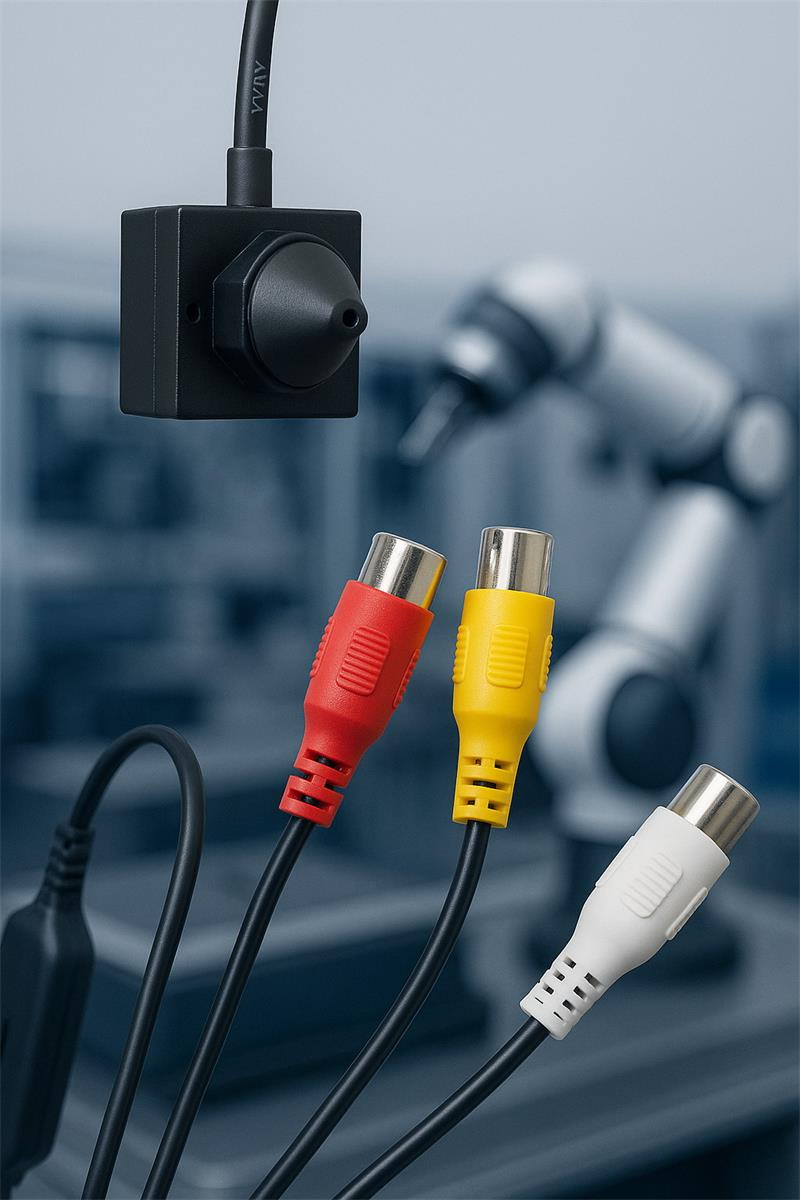
Conveyor systems often need visual evidence around transfer points, chutes, hatches, belt edges and material flow.
Micro cameras can solve:
Best-fit directions:
A visible micro camera shows what is happening. It does not measure temperature.
BESS sites require BMS, thermal monitoring and safety systems. Micro cameras cannot replace those layers.
But they can solve visibility problems around protected equipment.
Micro cameras can support:
Best-fit directions:
Boundary:
Visible cameras should not be treated as BESS safety sensors. They provide scene context.
Substations and utility power systems often have electrical monitoring, but visual confirmation is still useful for protected cabinets, panels and service devices.
Micro cameras can support:
Best-fit directions:
Boundary:
Substation projects must consider EMI, grounding, surge protection, safety distance, enclosure design and utility requirements. The camera module is only one layer.
Heavy industrial sites include steel, cement, recycling, manufacturing, ports, machinery and process equipment.
Micro cameras can solve:
Best-fit directions:
This is one of the strongest markets for micro cameras because many machine problems are hidden behind covers.
Energy facilities include pump stations, compressor stations, wind service equipment, solar sites, field cabinets and remote utility shelters.
Micro cameras can solve:
Best-fit directions:
Boundary:
For hazardous zones, certified equipment may be required. A standard micro camera module should not be assumed acceptable.
Environmental and wastewater sites often have remote stations, wet equipment rooms, pump cabinets, sensors and compact data boxes.
Micro cameras can solve:
Best-fit directions:
Moisture, condensation, cable sealing and lens window cleanliness are often more important than sensor resolution.
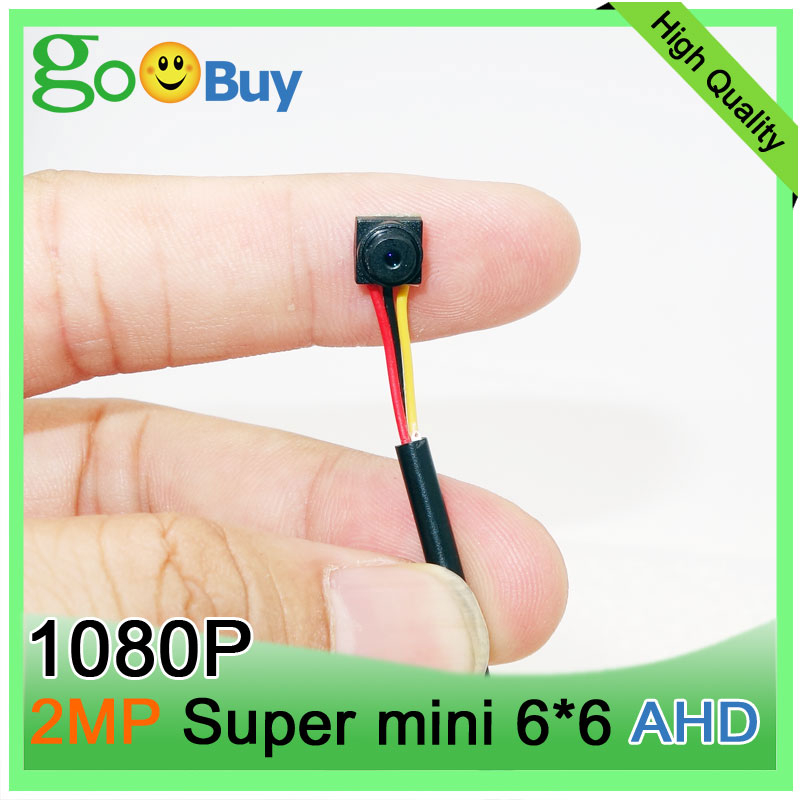
Micro camera modules can support compact BESS terminals, wastewater cabinets, mining equipment boxes, conveyor monitoring devices, utility panels, heavy equipment diagnostic tools and industrial machine interiors.
Best-fit applications include mining cabinets, remote utility shelters, conveyor service devices, pump station panels, protected cold-region equipment and field monitoring boxes.
Best-fit applications include machine builder enclosures, automation cabinets, compact inspection devices, test fixtures, energy equipment terminals and industrial service tools.
Best-fit applications include conveyors, bulk material handling, factory equipment cabinets, logistics equipment service panels and machine maintenance tools.
Best-fit applications include mining service cabinets, tunnel inspection devices, forestry equipment terminals, robot inspection tools and protected Nordic field devices.
Best-fit applications include offshore support equipment, port equipment cabinets, wastewater utilities, marine-adjacent service tools and protected energy monitoring devices.
Best-fit applications include BESS service terminals, solar field boxes, water infrastructure devices, environmental monitoring stations, tunnels and machine interiors.
Across these markets, the same principle applies:
micro cameras are strongest when the site is harsh but the camera is installed inside protected, compact equipment.
Best when the system has a nearby digital host.
Typical host:
Best for:
Recommended link:
Goobuy UC-501 15×15mm 2MP Micro USB Camera
Best when the system needs local monitor or DVR video.
Typical host:
Best for:
Recommended link:
AC-501 IMX323 Micro AHD Camera Module
Best when mechanical space is extremely limited.
Best for:
Recommended link:
6×6mm Micro AHD Camera Monitor Kit
Best when the camera is directly exposed.
Best for:
Recommended link:
IP69K AHD Camera Kit for Harsh Industrial Equipment
Best when the project requires heat detection.
Best for:
Recommended link:
Thermal Camera Modules for Predictive Maintenance
A professional micro camera selection guide must also explain limitations.
Micro cameras do not automatically solve:
They solve the camera-side hardware problem.
The customer or integrator still owns the complete system architecture.
| Field Problem | Better Camera Direction |
|---|---|
| Camera space is very small | Micro USB, micro AHD or 6×6mm AHD |
| Host needs digital image frames | USB |
| System needs local DVR recording | AHD |
| Existing system has analog video | AHD or CVBS |
| Target is hidden inside a machine | Micro camera close to target |
| Camera is directly wet or exposed | IP69K or rugged camera |
| Environment is corrosive | Stainless or corrosion-resistant housing |
| Temperature abnormality must be detected | Thermal camera |
| Fast motion causes distortion | Global shutter camera |
| Long network video is required | IP / PoE camera |
| Compact edge device needs visual input | Micro USB camera |
| Tiny inspection tool needs local display | 6×6mm AHD or micro AHD |
| Conveyor heat risk is the main issue | Thermal + visible confirmation |
| BESS service context is needed | Visible micro camera inside protected terminal |
| Substation hotspot detection is needed | Thermal + visible camera |
Before requesting a sample, prepare the following information:
This information allows Goobuy to recommend the right camera-side platform instead of guessing from a single keyword.
Goobuy micro camera modules solve major vision problems in space-limited harsh equipment by making camera integration possible where standard cameras are too large, too complex or mismatched to the host system.
They help solve:
For mining, conveyors, BESS, substations, heavy industry, energy facilities and environmental monitoring systems, micro cameras are most valuable when they are used as camera-side hardware inside a larger device.
Use micro USB when the host needs digital frames.
Use micro AHD when local monitor or DVR evidence is required.
Use 6×6mm AHD when space is extremely tight.
Use IP69K or rugged camera hardware when the camera is directly exposed.
Use thermal cameras when heat detection is required.
Use stainless or special housing when corrosion or certification matters.
The best micro camera is not the smallest camera or the highest-resolution camera.
It is the camera that fits the real host, space, cable, lens, enclosure, environment and workflow.
If your project needs a micro camera module for space-limited harsh equipment, send Goobuy your application, host device, camera location, working distance, FOV, interface, cable route, environment and sample plan.
Goobuy can help evaluate whether a micro USB camera, micro AHD camera, 6×6mm AHD camera, rugged IP69K camera, thermal module or another camera-side platform is the right starting point.
Micro camera modules solve space, interface, cable, lens and integration problems when standard cameras cannot fit inside compact harsh equipment. They are useful for protected cabinets, conveyor boxes, BESS terminals, substation devices, machine interiors, inspection tools and compact edge monitoring systems.
Yes, micro camera modules can be used inside protected mining cabinets, conveyor monitoring boxes, service panels, edge devices and inspection tools. For direct dust, mud, vibration, rain or washdown exposure, rugged housing or IP-rated camera hardware is required.
Micro cameras can provide visible confirmation inside protected BESS terminals, service cabinets and monitoring boxes. They do not replace BMS, thermal sensors, fire-safety systems or thermal cameras. Their role is scene context and visual evidence.
A micro USB camera is usually suitable when the edge AI box has a Linux, Windows, Android, Jetson, Raspberry Pi or industrial PC host and needs digital camera frames for software capture or event image processing.
A micro AHD camera is usually suitable when the system needs local monitor display, DVR recording, RCA / BNC connection or analog-HD video without software or IP camera setup.
A 6×6mm micro camera is useful when even a 15×15mm camera is too large. It is suitable for inspection tools, narrow machine cavities, ducts, small equipment windows, test fixtures and protected tight spaces.
No. Visible micro cameras provide scene images. Thermal cameras are required when the project needs heat detection, temperature abnormality monitoring, BESS thermal risk, electrical hotspots or conveyor bearing overheating detection.
Please send the industry, host system, camera position, available space, interface requirement, cable length, working distance, FOV, lighting condition, whether the camera is protected or exposed, environmental risks, sample quantity and pilot schedule.
this article is updated by Mr Art huang from shenzhen novel electronics limited in July 19th, 2026
Follow Me
Address:A615, 6F, Huachuangda Building, No107 Xinghua 1st Road, 43 District, Xinan street, Baoan, shenzhen, China 518101