
A Practical Guide to Wide Dynamic Range, High Dynamic Range, True WDR, Digital WDR and Camera Selection
WDR and HDR are two common camera terms used to describe how a camera handles scenes with both bright and dark areas. They are often used in USB cameras, security cameras, dash cameras, webcams, embedded camera modules, access control cameras, kiosk cameras and machine vision devices.
The short answer is simple:
WDR means Wide Dynamic Range. It is usually used as a camera feature for improving visibility in high-contrast scenes.
HDR means High Dynamic Range. It is usually used to describe an imaging method or image result that keeps more detail in bright and dark areas.
In real camera marketing, WDR and HDR are sometimes used interchangeably. That is why buyers should not only look at the words “WDR” or “HDR.” They should also check the sensor, exposure method, dynamic range rating, sample images, video performance and final application.
| Question | WDR Camera | HDR Camera |
|---|---|---|
| Full name | Wide Dynamic Range | High Dynamic Range |
| Main purpose | Improve visibility in high-contrast scenes | Produce an image or video with more detail across bright and dark areas |
| Common use | Security cameras, webcams, USB cameras, embedded cameras, vehicle cameras | Smartphones, photography, video, displays, advanced camera sensors |
| Typical problem solved | Backlight, strong sunlight, bright windows, dark foreground | Overexposed highlights and underexposed shadows |
| How it works | Digital processing or multi-exposure / sensor-level WDR | Multi-exposure, split-pixel, gain-based or other HDR methods |
| Buyer concern | Is it digital WDR or true WDR? | Is it real HDR video or just marketing? |
| Best checked by | dB rating, sensor, sample video, backlight test | HDR method, motion artifacts, sample video, tone mapping |
The practical rule:
Use WDR as a camera-selection feature.
Understand HDR as an imaging method or image-performance claim.
Dynamic range is the range between the darkest and brightest parts of a scene that a camera can capture while still keeping useful detail.
A low dynamic range camera may have two problems:
For example, if a person stands in front of a bright window, a normal camera may show the window clearly but make the person look like a dark silhouette.
Another example is a car camera facing headlights at night. The bright headlights may become overexposed while the surrounding scene becomes difficult to see.
WDR and HDR are both designed to reduce this problem.
WDR means Wide Dynamic Range.
A WDR camera is designed to capture more detail in scenes where bright and dark areas appear at the same time.
Common WDR camera situations include:
The purpose of WDR is not to make the image look dramatic. The purpose is to make the scene easier to see and use.
A WDR camera should help preserve details in both highlights and shadows.
One of the most important SEO and buyer questions is:
What is the difference between digital WDR and true WDR?
Digital WDR is software-based image processing. The camera captures one image and then adjusts brightness, contrast, shadows and highlights through the image signal processor.
Digital WDR can improve image appearance, but it cannot recover details that the sensor never captured.
Digital WDR is usually lower cost and easier to implement.
It is useful for mild backlight or moderate contrast scenes.
However, it may create:
True WDR normally means the camera uses sensor-level or hardware-assisted methods to capture more light information before the image is processed.
A true WDR camera may use:
True WDR is usually better than digital WDR for strong backlight and high-contrast scenes.
It can preserve more real information in bright and dark areas.
However, true WDR may require:
For buyers, the phrase “true WDR camera” is more meaningful than “digital WDR camera,” but sample testing is still necessary.
HDR means High Dynamic Range.
In cameras, HDR usually means the camera creates an image or video with more detail across bright and dark areas than a normal single-exposure image.
HDR can be created by different methods, such as:
In consumer products, HDR is often associated with phones, TVs, displays and video content.
In camera modules, HDR may refer to the sensor’s imaging mode or the final processed image.
This is why HDR can be confusing. Sometimes “HDR camera” means a true sensor-level HDR function. Sometimes it only means that the camera applies image processing to create an HDR-like look.
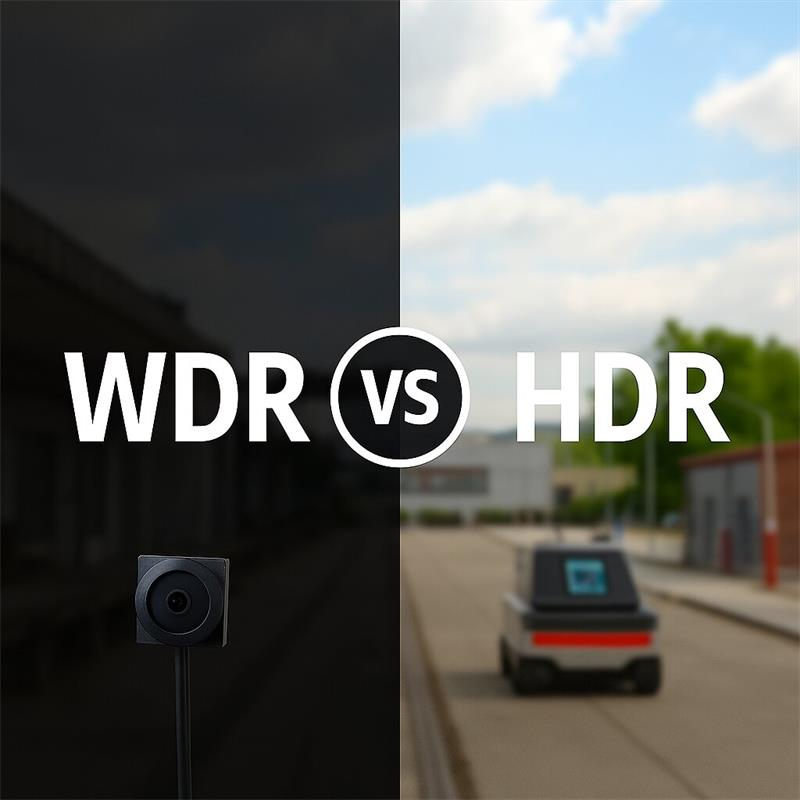
WDR and HDR are closely related, but they are not always the same.
In many camera product descriptions:
For example, a camera may advertise WDR because it helps with backlight. The sensor may use an HDR exposure mode to achieve that WDR result.
In other cases, a camera may advertise HDR because the final image has more balanced highlights and shadows.
The terms overlap because both are about dynamic range.
For buyers, the better question is not:
“Is it called WDR or HDR?”
The better question is:
How does the camera handle strong contrast in real video?
USB camera modules often use WDR or HDR features for embedded devices and software applications.
A WDR USB camera is usually selected when the camera must work with difficult lighting, such as:
For USB camera modules, the host system may use:
A WDR or HDR USB camera is useful when the software needs better image input under backlight, reflections or mixed indoor lighting.
However, the camera should still be tested with the real host device and real lighting environment.
In security cameras, WDR is a very common term.
A WDR security camera is often used for:
The goal is to see people, objects and background details even when the scene has strong light contrast.
HDR security camera is also used as a marketing term, but buyers should check whether the camera supports real multi-exposure HDR, true WDR, digital WDR or only basic image enhancement.
For security applications, real video samples are more useful than feature names.
Dash cameras and vehicle cameras often face strong contrast.
Typical problems include:
WDR can help balance light and dark areas.
HDR can help preserve highlight and shadow detail if implemented well.
However, vehicle scenes often include motion. Multi-exposure HDR may create ghosting or motion artifacts if the exposure fusion is not handled well.
For vehicle or dash camera buyers, it is important to check real driving videos, not only the WDR or HDR label.
Backlight is one of the most common reasons to choose a WDR camera.
Backlight happens when the background is much brighter than the foreground.
Examples:
A non-WDR camera may make the person’s face too dark.
A WDR camera should help brighten the foreground while controlling the bright background.
If backlight is the main problem, look for:
WDR and HDR can also matter for close-range capture.
Applications include:
The camera may face reflections from:
WDR can help reduce the effect of glare and preserve more detail around the code or document.
However, WDR alone does not guarantee good scanning performance.
You should also check:
For QR and document capture, lens and focus are as important as WDR.
WDR and HDR can improve difficult lighting, but they may also introduce trade-offs.
Possible trade-offs include:
This does not mean WDR or HDR is bad.
It means the buyer should test the camera under the real application condition.
A camera that looks good in a static demo may not perform well with moving people, moving objects, flickering lights or reflective surfaces.
WDR performance is often described in dB.
A higher dB number usually means the camera can handle a wider range between bright and dark areas.
Common marketing values include:
However, buyers should be careful.
A WDR dB number alone does not guarantee the best real image.
Actual performance depends on:
For example, a 120dB WDR camera may perform very differently from another 120dB WDR camera if the sensor and ISP are different.
Use dB rating as a reference, not the only decision factor.
Before choosing a WDR or HDR camera module, test it under real lighting.
Useful tests include:
Place a person or object in front of a bright window and check whether the foreground remains visible.
Use reflective surfaces, white paper, phone screens or glossy packaging and check whether highlights are blown out.
Place objects in dark areas of the scene and check whether details remain visible without heavy noise.
Move a person, object or card through the scene and check for ghosting, blur or exposure artifacts.
Test real QR codes, phone screens, ID cards or documents at the intended working distance.
Check whether the camera works correctly with the final Windows, Linux, Android, macOS or embedded host software.
Leave the camera running and check whether exposure remains stable under changing light.
A good WDR camera should not only pass a still-image demo. It should work in the real application workflow.
Choose a WDR camera when the main problem is high contrast in the same scene.
WDR is suitable for:
WDR is especially useful when the camera must provide a usable image for recognition, verification, recording or human viewing under mixed light.
Choose an HDR camera or HDR mode when the system needs a higher dynamic range image or video result and the camera’s HDR method is suitable for the application.
HDR may be useful for:
But if the scene includes fast motion, test HDR carefully. Some HDR methods can create motion artifacts if the subject moves between exposures.
For moving scenes, sensor-level HDR methods and strong ISP tuning are important.
WDR, HDR and low light are different concepts.
A low-light camera helps when the whole scene is dark.
A WDR camera helps when the scene has both bright and dark areas.
An HDR camera or HDR mode helps create a wider dynamic range image from multiple exposure or sensor-level methods.
Example:
Do not choose a WDR camera only because the scene is dark.
Do not choose a low-light camera only because the scene has strong backlight.
Define the lighting problem first.
| Application | Main Lighting Problem | Better Direction |
| Kiosk camera facing glass door | Backlight | True WDR |
| QR code shown on phone screen | Glare and exposure mismatch | WDR + correct focus |
| ID card capture | Reflection and highlight control | WDR + low-distortion lens |
| Lobby security camera | Bright entrance and dark indoor area | True WDR |
| Parking entrance camera | Sunlight, headlights, shadow | WDR / HDR with motion test |
| Dash camera | Headlights, tunnel exit, moving scene | HDR / WDR with strong motion handling |
| Webcam near window | Bright background | WDR |
| Product recognition camera | Reflective packaging | WDR + controlled lighting |
| General video in dark room | Low light | Low-light sensor and larger aperture |
| High-quality still image | Full highlight and shadow detail | HDR imaging |
They are related, but not always the same. Check the actual method and sample video.
Digital WDR may help mild contrast, but true WDR is better for strong backlight.
Multi-exposure HDR can create ghosting if objects move between exposures.
A high WDR dB number is useful, but sensor, ISP, lens and sample video are also important.
For QR codes, ID cards and document capture, lens focus and distortion may matter more than WDR.
A camera should be tested in the real lighting condition, including backlight, glare, reflections and motion.
Before ordering a WDR or HDR camera, prepare these details:
These details help the supplier recommend the right camera module instead of only matching keywords.
WDR and HDR are related camera technologies, but they should not be treated as simple marketing words.
WDR usually describes a camera feature for handling wide dynamic range scenes, especially backlight and high contrast.
HDR usually describes an imaging method or image result that preserves more detail across bright and dark areas.
Digital WDR is software-based and suitable for moderate contrast.
True WDR uses stronger sensor-level or hardware-assisted methods and is better for difficult backlight.
HDR may use multi-exposure, gain-based or sensor-level techniques to create a wider dynamic range image.
For buyers, the best camera is not the one with the biggest WDR or HDR label. The best camera is the one that works in the real lighting condition, with the right lens, focus, interface, frame rate, host software and image processing.
Before choosing a WDR or HDR camera module, test it with the real scene: backlight, glass, phone screens, reflective cards, moving people, changing light and the final host device.
If the image remains clear and usable there, the camera is a good fit.
WDR means Wide Dynamic Range and usually describes a camera feature that improves visibility in high-contrast scenes. HDR means High Dynamic Range and usually describes an imaging method or image result that keeps more detail in bright and dark areas. In many camera products, the terms overlap, so buyers should check the actual sensor, method and sample video.
WDR is not always better than HDR. WDR is often used as a practical camera feature for backlight and high-contrast scenes. HDR can describe a more advanced imaging method or final image result. The better choice depends on the camera implementation and the application.
True WDR usually means the camera uses sensor-level or hardware-assisted methods, such as multi-exposure capture or HDR sensor modes, to preserve more real detail in bright and dark areas. It is usually stronger than digital WDR for serious backlight scenes.
Digital WDR is software-based image processing. It adjusts brightness and contrast after the image is captured. It can improve mild backlight scenes, but it cannot recover details that were not captured by the sensor.
120dB WDR is a dynamic range rating that suggests the camera can handle a wide range between bright and dark areas. However, real performance also depends on sensor, ISP, lens, exposure method, lighting, frame rate and sample tuning.
HDR can be good for moving objects if the camera uses a method that controls motion artifacts well. Some multi-exposure HDR methods may create ghosting when objects move between exposures, so moving-scene testing is important.
WDR can help QR code and ID card capture when the scene has glare, reflections, phone screen brightness, glossy plastic or strong light contrast. However, focus distance, lens distortion, resolution and lighting angle are also very important.
Choose based on the real lighting problem, not only the product name. Check whether the camera has digital WDR, true WDR or HDR mode, then test backlight, glare, motion, QR codes, documents and the final host software before production.
this article is updated by Mr Art huang from shenzhen novel electronics limited in July 19th, 2026
Follow Me
Address:A615, 6F, Huachuangda Building, No107 Xinghua 1st Road, 43 District, Xinan street, Baoan, shenzhen, China 518101