

Compact hardware-WDR USB camera for robots and kiosks in mixed lighting, backlight, glare, face capture, document imaging, and QR scanning
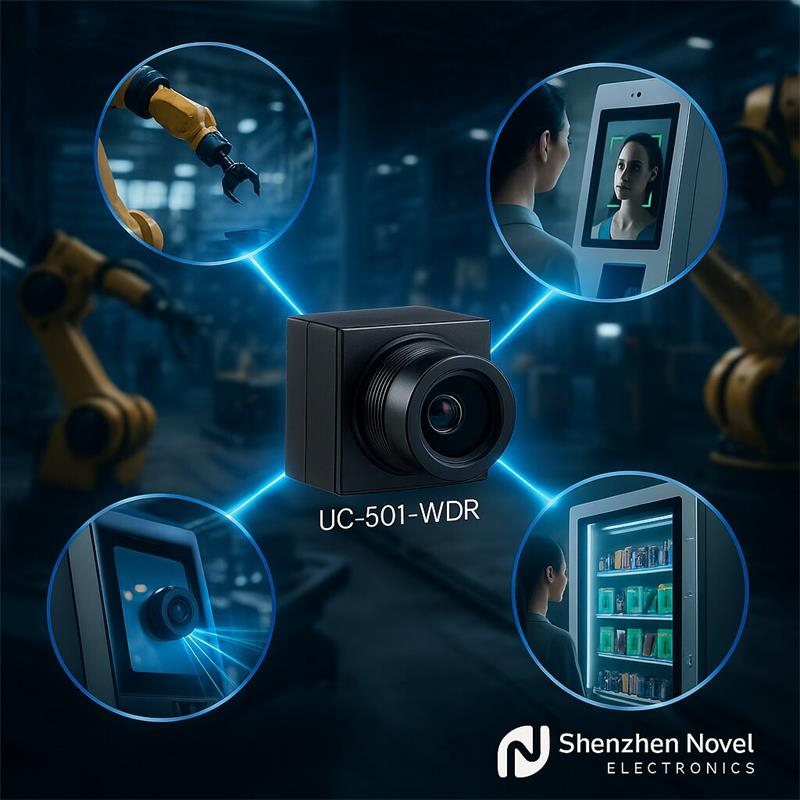
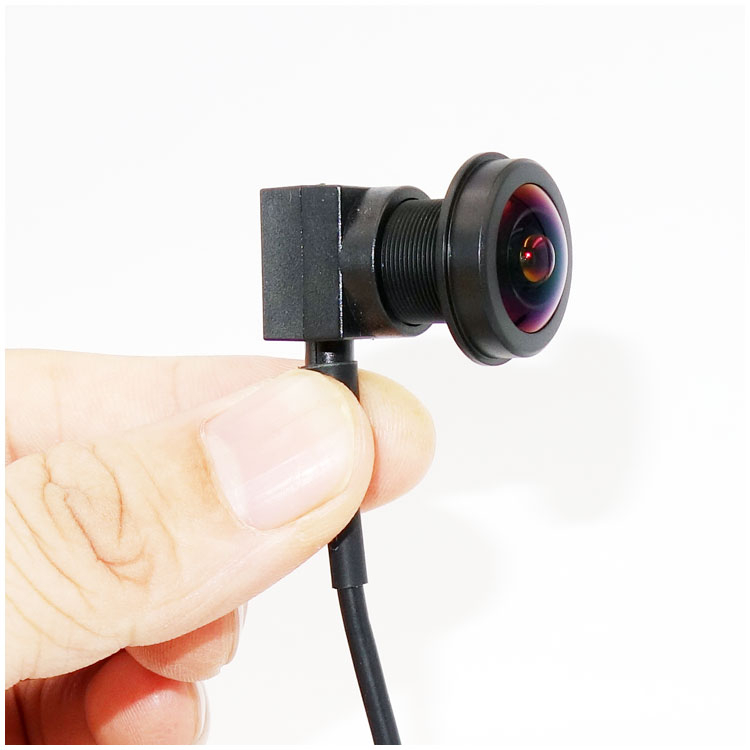
Goobuy UC-501-WDR is a miniature USB camera module designed for robot vision and self-service kiosk systems that must work in difficult lighting, not just in controlled demo conditions. Its hardware WDR helps preserve usable image detail in bright backlight, doorway glare, reflective interiors, and mixed indoor-outdoor scenes where standard cameras often fail.
This module is intended for:
It is not positioned here for IoT gadgets, hobby devices, or broad consumer imaging.
This page is written for product managers, robotics engineers, and kiosk hardware teams deciding whether this camera deserves evaluation.
Standard miniature USB cameras often look fine in a controlled room.
They fail when your product moves into real deployment.
For robot builders, that usually happens when:
For kiosk teams, that usually happens when:
UC-501-WDR is designed for those moments.
Its role is not to make marketing images look nicer.
Its role is to keep your real product usable when light and shadow stop cooperating.
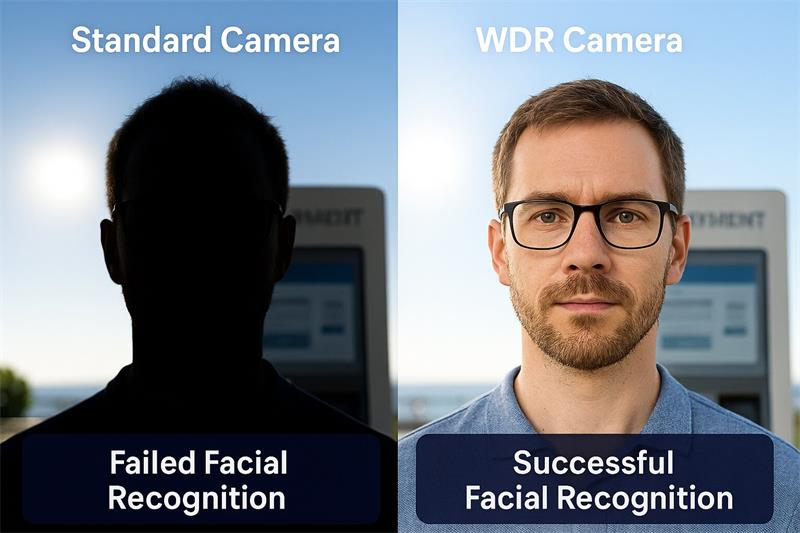
If the image is already clipped, blown out, or crushed into shadow, downstream CV software is starting from bad data. Hardware WDR helps preserve usable scene information earlier in the pipeline. The current page already positions this module around true hardware multi-exposure WDR up to 120 dB, which is exactly the kind of claim that matters to robot and kiosk teams dealing with uncontrolled lighting.
Your current page repeatedly presents UC-501-WDR as a miniature USB camera in the micro-size category, suitable for tight integration. Even with the dimensional inconsistency that needs correction, the product is clearly intended for compact enclosures rather than full-size boxed cameras.
The module is presented as UVC-compliant USB 2.0 / USB-C, plug-and-play with Linux, Windows, Android, OpenCV, Python, and ROS-style workflows. For robotics teams and kiosk teams, that matters because integration speed is often as important as image quality.
Transportation and logistics remain the largest professional service-robot segment, and self-service kiosks continue to expand across retail, transportation, healthcare, and finance. That means the page should be optimized for exactly those buyers rather than diluted across vending and generic IoT.
Robot builders do not need another generic USB camera.
They need a camera that stays usable when the robot enters the real world.
UC-501-WDR is especially relevant for:
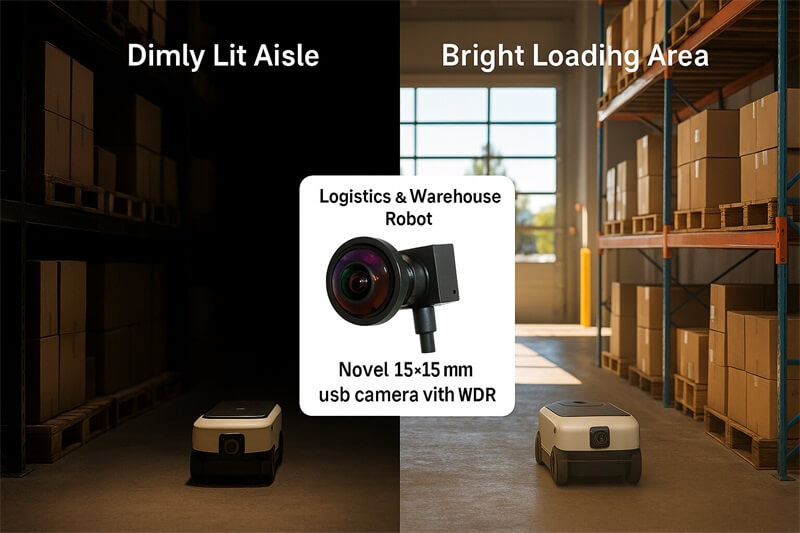
In robotics, the hardest scenes are often not “dark.”
They are mixed:
That is where standard miniature cameras can lose detail exactly when the robot needs usable visual information.
A compact hardware-WDR camera can be the difference between:
Kiosk failures are often not caused by UI logic first.
They are caused by poor imaging in real deployment.
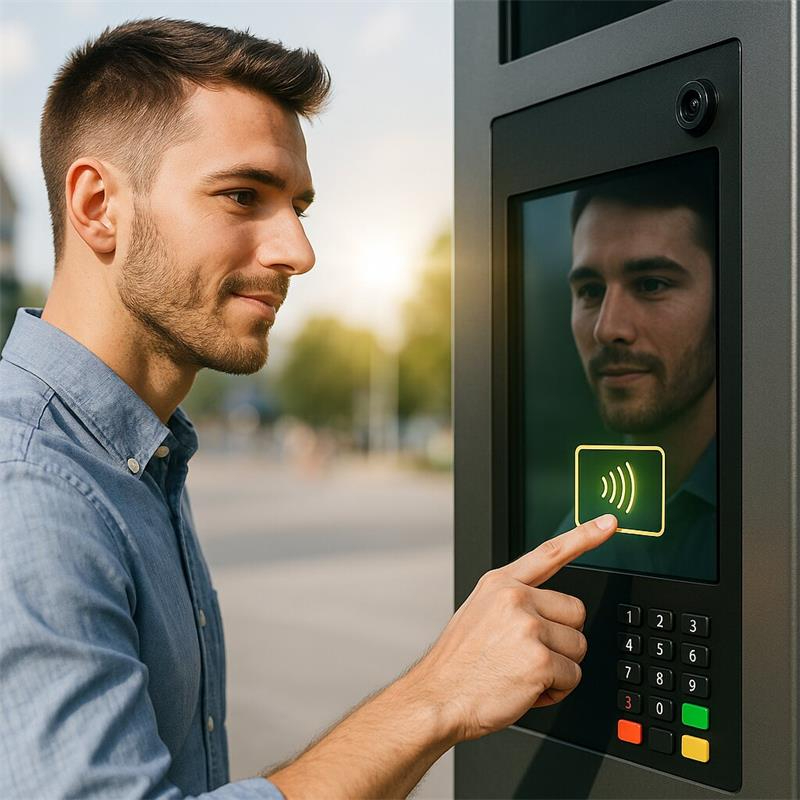
UC-501-WDR is a strong fit for:
A kiosk has no human staff member standing beside it to explain repeated failures.
If the image pipeline fails:
WDR matters most where the kiosk is placed in:
Choose UC-501-WDR if your team is facing one or more of these specific issues:
That distinction matters.
The goal of this page is not to attract everyone.
It is to help the right customer self-identify.
This is important, because serious engineers do not want a page that says “perfect for everything.”
They want a page that helps them eliminate bad-fit options early.
Is it:
You should define the role before evaluating image quality.
Not all “difficult light” is the same.
You need to know whether the real issue is:
Your current page says the default lens is around 93° diagonal, with options from 70° to 120°. That is useful, but teams still need to define whether they need scene coverage, face framing, or tighter code/document capture.
The current page identifies the module as rolling shutter. That is fine for many kiosk and robot support roles, but teams should still evaluate motion artifacts if the robot moves fast or if the scene includes rapid motion.
If the deployment has genuinely high contrast, this question becomes central.
Your current page explicitly positions the camera as true hardware multi-exposure WDR, not software WDR. That should remain a key technical decision point.
Your current page already points in the right direction here:
Sensor: High-Performance 1/2.8" CMOS Image Sensor
Resolution: 1920(H) x 1080(V), 2.0 Megapixel
Frame Rate: 1080p@30fps, 720p@30fps
Wide Dynamic Range (WDR): Up to 120 dB, Multi-Exposure Hardware WDR
Standard Lens (Default):
Diagonal FOV: 93°
Construction: 4-Element Glass, Low Distortion
Lens Options: 70°-120°, and custom FOV available on request.
Shutter Type: Rolling Shutter
Module Dimensions: 12mm x 12mm PCB
Weight: Approx. 35g
Housing Material: (ABS plastics, size 15*15mm)
Operating Temperature: -20°C to +70°C
Interface: USB 2.0 / USB-C ( type-C)
Connector: USB Type-C or 5-pin header (optional)
Compatibility: UVC (USB Video Class) Compliant
Operating Systems: Windows (8, 10, 11), Linux (Kernel 2.6 or higher), Android (with OTG support), macOS
Power: USB Bus Powered (DC 5V)
Development: Plug-and-play with OpenCV, ROS, Python, and other standard libraries.
1. How does the WDR performance of this camera actually compare in the real world? Is it true hardware WDR?
Answer: This is an excellent and critical question. Our module features true hardware-based, multi-exposure WDR that delivers a dynamic range of up to 120 dB. Unlike digital WDR (D-WDR) which is a software-based gimmick, our hardware approach ensures you capture crystal-clear, artifact-free images in extreme high-contrast scenes. This means in a single frame, you can clearly see the details of a user's face in a dark shadow while simultaneously reading the license plate of a car in bright, direct sunlight behind them. It's designed for reliable performance in the most challenging real-world lighting, not just in a lab.
2. What kind of drivers or special software do we need to integrate this camera with our Linux-based robotic system or NVIDIA Jetson platform?
Answer: None. The camera is fully UVC (USB Video Class) compliant. This means it is a true plug-and-play device that requires no special drivers for all major operating systems, including Linux, Windows 10/11, and Android. It is recognized as a standard video device, allowing your software team to immediately access the video stream using common libraries like OpenCV, Python, GStreamer, or ROS (Robot Operating System). This dramatically simplifies the integration process and accelerates your development timeline.
3. The standard lens/cable option is close, but not perfect for our design. Can you provide customization for specific requirements?
Answer: Yes, absolutely. We understand that every embedded project is unique. This camera module serves as a flexible platform for our full OEM/ODM customization services. The most common customizations we provide for this module include:
Lens & Field of View (FOV): We can equip the module with a wide range of lenses to achieve your desired FOV, from narrow (for detail) to wide-angle (for perception), including low-distortion options.
Cable & Connector: We can customize the cable length and terminate it with the specific connector your system requires.
Firmware Adjustments: We can pre-configure image parameters like brightness, contrast, and white balance to your specific needs.
Please contact our engineering team to discuss your project's unique requirements.
4. What is your process for providing samples for evaluation, and what are the typical lead times for mass production orders?
Answer: We make the evaluation process straightforward. You can request samples directly through our sales team, and they typically ship within 1-2 business weeks.
For mass production orders, our standard lead time is approximately 4-6 weeks after the final configuration is confirmed. Lead times may vary depending on the order volume and the complexity of any customizations. We pride ourselves on transparent communication and will provide you with a detailed schedule for your specific order.
5. What is the long-term reliability of this module, and what kind of warranty and technical support do you offer?
Answer: Our modules are designed and manufactured for industrial-grade reliability. Every unit is produced under ISO 9001 certified quality management standards and undergoes rigorous testing before shipment.
We stand behind our products with a standard 1-Year Manufacturer's Warranty. Furthermore, when you partner with us, you get direct access to our dedicated engineering support team. If you have any questions or challenges during your integration process, our experts are here to help you solve them quickly and efficiently.
Title: "It Doesn't Work!" - How a US Kiosk Startup's Airport Deployment Became a User Experience Nightmare
The Client : "Urban Kiosk Solutions Inc.," a well-funded Silicon Valley startup, designed a sleek, modern self-service ticketing and ID verification kiosk. They secured a major pilot contract to deploy 50 of their flagship units in a major US international airport's main departure hall.
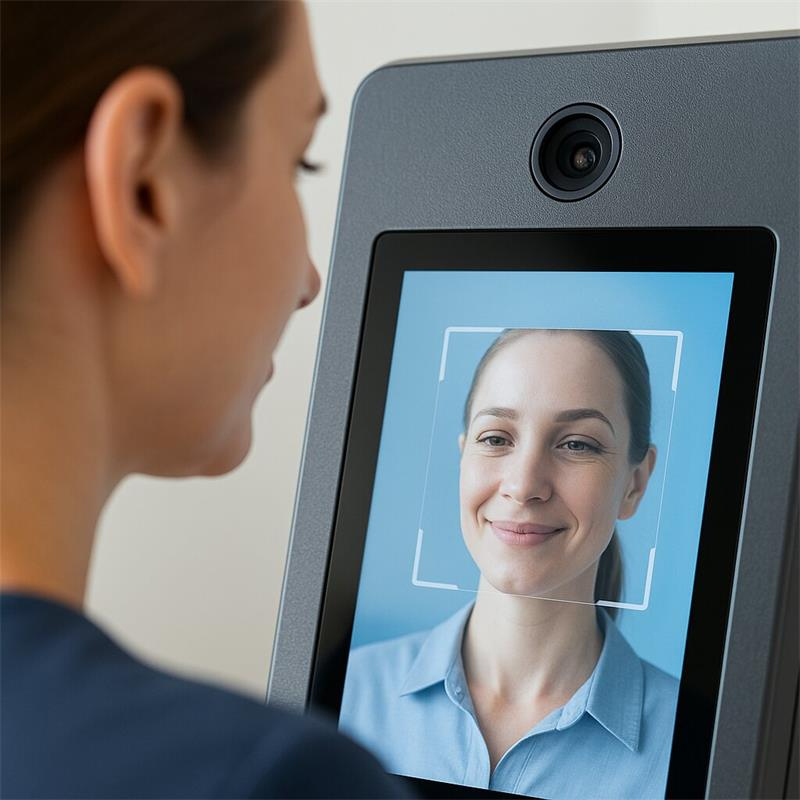
The Challenge : Within the first week of deployment, the support lines were flooded with complaints. Users reported that the kiosk's most critical function—scanning a driver's license or passport for identity verification—had an abysmal success rate, estimated to be below 40%. The facial recognition feature for payment was equally unreliable. Long queues formed, users became intensely frustrated, and the airport authority threatened to terminate the contract. The startup's reputation was on the line.
The Root Cause Analysis: The kiosks had performed flawlessly in the company's controlled lab environment. However, the airport's departure hall was a "worst-case scenario" for lighting. It had a massive glass facade and ceiling, creating extreme backlighting conditions at all hours of the day.
The standard miniature USB camera chosen for the kiosk, while compact, had no WDR capabilities. When a user stood in front of the kiosk, their face was cast into a dark silhouette against the bright background, making facial recognition impossible. When they held up their reflective, laminated ID card, the glare from the overhead lights would create a white flare, rendering the text and photo completely unreadable for the OCR software.
The Solution: The startup was forced to initiate an expensive recall and retrofitting process. They replaced the standard camera with a miniature WDR USB camera module. The WDR technology instantly solved the problem. It cut through the backlighting to perfectly expose the user's face and eliminated the glare on the ID cards, allowing the software to function as designed. The transaction success rate immediately jumped to over 95%.
The Takeaway : For any user-facing self-service terminal (Kiosk, ATM, Vending Machine) deployed in a public space, the user experience is the product. Choosing a camera without robust WDR capabilities is a critical oversight that ignores real-world conditions. It directly leads to failed transactions, customer frustration, and severe damage to the brand's reputation for quality and reliability.
Because by this point, you should already know whether your problem sounds familiar.
You should inquire if your team is saying any of the following:
That is when this product becomes worth evaluating.
When you contact us, tell us:
That will make the discussion far more useful than a generic sample request.
 office@okgoobuy.com
Follow Me
Address:A615, 6F, Huachuangda Building, No107 Xinghua 1st Road, 43 District, Xinan street, Baoan, shenzhen, China 518101